Call for Sessions
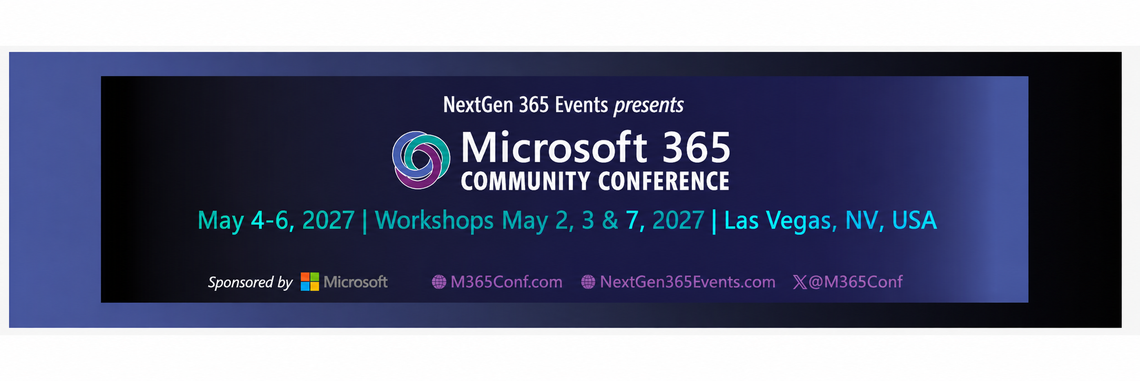
2027 Microsoft 365 Community Conference
2 May 2027
7 May 2027
MGM Grand Hotel & Casino Las Vegas, Nevada, United States
m365conf.com
The Microsoft 365 Community Conference has become one of the most important in-person gatherings of the Microsoft community anywhere on Earth. We invite you to submit your original, world-class content for a chance to share with our committed community.
Schedule
The main conference takes place May 4 to 6, 2027, in Las Vegas, Nevada, with two pre-conference workshop days on May 2 and 3 and one post-conference workshop day on May 7.
Audience
The Microsoft 365 Community Conference comprises three audiences: the developers who build solutions, the IT pros who manage and integrate solutions, and the employees, communicators, business leaders, and consultants who use solutions.
Our goal is to connect the community of expert solution providers with an extensive and growing community searching to discover the best solutions for their technical business challenges. You increase your chances of selection by showing high value to any or all of these cohorts.
Topics
This year’s event is focusing on building upon and expanding the modern AI-powered workplace and we're looking to you to propose topics that forge the balance between remote, virtual, mobile, and in-person workforces in the world of AI-enabled business productivity.
We continue to feature the Microsoft 365 ecosystem, ensuring the inclusion of new products like the various Microsoft Copilot experiences, Microsoft Entra, Azure Open AI services, and Microsoft Viva tools, to name a few. We ask that your proposals include best and proven practices, clever innovations, tips, and tricks, and represent the modern, up-to-date Microsoft cloud, including Azure, the various Copilot experiences, Microsoft Teams, Microsoft Viva, and the Power Platform.
Each submission requires a primary and secondary topic track selection. Use your best judgment based on these definitions:
- Adoption and change management: Sessions in this track focus on helping users successfully adopt Microsoft 365 tools through training, onboarding strategies, and organizational change management practices. Topics may include building adoption roadmaps, creating internal champions groups, change communications, success metrics, and driving engagement through user-centric approaches.
- Collaboration and unified communications: Sessions in this track focus on enhancing team-based collaboration and communication across Microsoft 365. Topics include chat, meetings, file sharing, co-authoring, digital whiteboarding, and hybrid work environments. Featured tools include Microsoft Teams, Teams Meetings, OneDrive, SharePoint team sites, Microsoft Lists (basic), Loop, Whiteboard, and OneNote.
- Copilot, agents, and Copilot services: Sessions in this track focus on Microsoft’s AI-powered assistants and custom agent experiences. Topics may include Copilot use cases, prompt engineering, agent building, governance, integration strategies, and productivity enhancement. Relevant tools include Microsoft 365 Copilot, Copilot Chat, Copilot Studio, AI Builder, Azure AI Foundry, and broader Copilot-enabled services across Microsoft 365.
- Custom development: Sessions in this track focus on advanced development topics using traditional coding methods within the Microsoft 365 ecosystem. Topics may include custom applications, APIs, DevOps practices, automation scripts, and custom extensions. Example tools include SharePoint Framework (SPFx), PowerShell, GitHub and GitHub Copilot, Microsoft Graph, Visual Studio, and other development environments. Feel free to submit AI- and Copilot-related sessions if applicable.
- Deployment, migration, and administration: Sessions in this track help IT professionals deploy, configure, and manage Microsoft 365 environments. Topics may include tenant setup, hybrid configurations, workload migrations (e.g., email or file shares), license management, admin center usage, automation, and service lifecycle management.
- Diversity, equity, inclusion, and professional development: Sessions in this track explore personal and professional growth, inclusive leadership, career advancement, and creating equitable workplaces. Topics may include DEI strategies, mentorship, allyship, burnout, career paths, and navigating challenges in tech. Sessions may relate to Microsoft 365 but are not required to be tool-focused.
- Executive and corporate communications: Sessions in this track focus on how executives and communicators use Microsoft 365 to engage employees and deliver effective messaging. Topics include leadership communications, internal campaigns, audience targeting, and measuring impact. Tools include Microsoft Viva, Engage, Stream, SharePoint news, and Teams.
- Governance, security, and compliance: Sessions in this track focus on keeping Microsoft 365 environments secure, compliant, and well-governed. Topics may include data classification, DLP, Zero Trust, identity management, conditional access, insider risk, auditing, and regulatory compliance. Relevant tools include Microsoft Purview, Entra ID, Defender for Office 365, Information Protection, Security Copilot, and Microsoft 365 compliance center.
- Information management, search, and knowledge management: Sessions in this track focus on organizing, surfacing, and governing content and knowledge in Microsoft 365. Topics include metadata, content types, information architecture, Microsoft Search customization, Copilot for knowledge, and enterprise knowledge-sharing strategies. Relevant tools include SharePoint, Microsoft 365 Copilot, Microsoft Search, Viva Engage, Copilot Studio, and related services.
- Intranet, organizational communications, and employee experience: Sessions in this track explore how to design, build, and manage intranets and internal communications that drive engagement, especially in the AI era. Topics may include modern intranet architecture, news publishing, branding, internal campaigns, and digital experience strategies. Featured tools include SharePoint, Viva Connections, Viva Engage, Viva Amplify, Microsoft 365 Copilot, and ClipChamp.
The best session proposals smartly and succinctly inspire our audience to respond to the needs of today's and tomorrow's workforce using "the world's computer." The best submissions will explain how the various products and services in the Microsoft cloud are better together. Consider how AI, employee experience, automation, modern collaboration, hybrid meetings, and development platforms can intertwine to provide the most real-world value.
Call for Sessions
21 Sep 2026
12 Oct 2026
Welcome to the Call for Speakers for the 2027 Microsoft 365 Community Conference! We invite both Community and Microsoft speakers to submit session and workshop proposals for the conference, taking place May 4–6, 2027, in Las Vegas, Nevada, USA, with pre-conference workshops on May 2 and 3 and post-conference workshops on May 7.
➡️ Community Speakers
Community speakers are those who are not currently employed by Microsoft Corporation. Each selected community speaker is entitled to:
- One full conference pass; AND
- Two nights hotel accommodations if presenting one session or workshop; OR
- Three nights hotel accommodations if presenting multiple sessions or workshops.
Community speaker payments:
- Session speakers are entitled to $600 for the first session and $300 per session for each additional session selected.
- Workshop speakers are entitled to $50 per paid registrant of their workshop. Workshop presenters are guaranteed at least $600 for their workshop.
➡️ Community Workshop Submissions
➡️ Microsoft Speakers
Microsoft speakers are those who are currently employed by Microsoft Corporation. (Microsoft MVPs are not Microsoft speakers.)
Each selected Microsoft speaker is entitled to one full conference pass. Microsoft speakers may only submit session submissions; no workshop submissions will be selected from Microsoft speakers. Microsoft speakers do not receive additional income from the conference for participation. Travel and lodging is not provided for Microsoft speakers; work with your management on securing travel.