
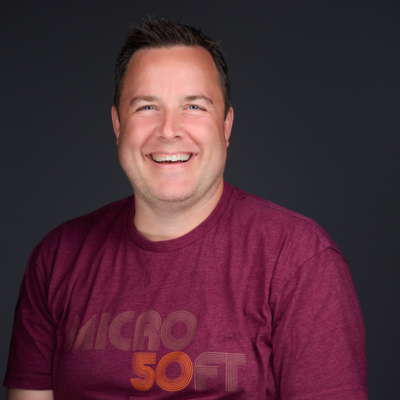
Adam Nichols
Microsoft Sr. Product Manager CAT Windows 365 / AVD
Gilbert, Arizona, United States
Actions
As a Lifelong Geek with almost 25 something yrs. experience working in the industry, I have spent the last 10 years at Microsoft, 5 yrs. as a Product Manager and 5 as a Microsoft Premier Filed Engineer focused on Modern Management (Autopatch, Endpoint Manager, Autopilot, Azure Virtual Desktop, Windows OSD). I have had the unique opportunity to be exposed to a wide variety of customers and environments. I have authored many Microsoft Internal offerings, as well as presented at multiple Microsoft Internal and External Conferences and tech talks. I'm always excited to talk about tech and learn from others around me.
Badges

Area of Expertise
Topics
Windows 365 Master Class
Step into a dynamic, hands-on masterclass designed to elevate your Windows 365 expertise. Whether you're just beginning your Cloud PC journey or seeking to refine your deployment and management strategies, this immersive session will equip you with the skills and insights to lead with confidence.
Explore the full spectrum of Windows 365—from core concepts to advanced implementation techniques—through real-world scenarios, expert-led guidance, and interactive labs. Walk away with practical knowledge you can immediately apply to optimize performance, enhance security, and streamline operations across your organization."
What you will take away:
1. Architecture & Licensing Deep Dive: Understand Windows 365 service architecture, key use cases, and licensing models to align with organizational needs.
2. Network Integration & Security Hardening: Explore hybrid networking models, conditional access, identity management, and endpoint security best practices.
Provisioning & User Experience Optimization: Master automated provisioning workflows via Intune Device Preparation, for seamless end-user experiences.
3. Operational Excellence & Ecosystem Integration: Gain expertise in monitoring Endpoint Analytics, leveraging APIs for automation, ensuring service resilience, and Business Continuity.
Bring your laptop to try out the sandbox, or simply watch the presenters demonstrate their skills.
Windows 365 For Agents: The Cloud PC Is The Source For AI + Human Workloads
AI agents are transforming how work gets done but where do they run, and how do you secure them? In this session, we explore how Windows 365 for Agents uses Cloud PCs as a secure, scalable runtime for AI and human workloads. Learn from real Microsoft deployments, key design considerations (identity, security, governance), and lessons from early adoption to help you operationalize agent-based automation
Windows 365 for Agents: The Cloud PC as the Source for AI + Human Workloads
AI agents are transforming how work gets done—but where do they run, and how do you secure them? In this session, we explore how Windows 365 for Agents uses Cloud PCs as a secure, scalable runtime for AI and human workloads. Learn from real Microsoft deployments, key design considerations (identity, security, governance), and lessons from early adoption to help you operationalize agent-based automation.
Windows 365 Flex: Unlock Productivity With Dedicated, Shared, And Cloud Apps
Organizations today need flexible, secure, and cost-effective solutions to empower frontline workers and hybrid teams. Windows 365 Flex delivers exactly that—providing Cloud PCs tailored for shift-based work and specialized tasks. In this session, we’ll explore how Dedicated and Shared modes enable personalized or pooled access, and how Cloud Apps with Cloud Profiles simplify application delivery and roaming user data across devices.
Windows 365 Cloud Apps: An Easy Way to Publish Applications
What if you could give users the app — without giving everyone a Cloud PC?
That's exactly what Windows 365 Cloud Apps delivers, and Adam Nichols and Chris Cavazos are breaking it down at #MMSMOA. Secure access to the apps people need, hosted with none of what they don’t need.
Simple, secure app delivery — minus the overhead. Come see Adam and Chris show you how it works.
#MMS #Windows365 #CloudPC #CloudApps #Microsoft365 #EndUserComputing #ModernWork
Windows 365 & Azure Virtual Desktop: What’s New and Lessons from the Field
Windows 365 and Azure Virtual Desktop continue to evolve rapidly, introducing new capabilities that change how organizations design, deploy, and operate virtual desktops. This session highlights the most important recent updates and explains what they actually mean in real-world environments.
We’ll review key developments such as Windows App improvements, AI-enabled Cloud PCs, security and networking enhancements, and platform scalability updates. Beyond the announcements, the session focuses on practical guidance drawn from real customer deployments, production environments, and support experiences.
Attendees will gain insights into design patterns that work, common pitfalls to avoid, and proven approaches for building reliable, performant, and cost-efficient virtual desktop environments.
Mapping “Legacy” to “Modern” - On-prem to the cloud
For quite a few years now we have all heard the writing on the wall in regards to some on-premises technologies and their future. The real issue for many admins is understanding how all the components of AD, SCCM, OSD etc all map to the modern world of “cloud native”.
In this session we will run through the common pitfalls when migrating to modern management, along with real world success stories on how this is achievable.
So if you’re tasked with migrating your companies infrastructure from on-prem to cloud, this is the session for you, with real world experiences.
Securing your Azure Virtual Desktop Environment
There are organizations that require a strong security posture around resources in Azure, and Azure Virtual Desktop is no different. We will talk about how we secure AVD with the tools and features Azure provides.
Fast-track Your Windows 11 Adoption With Windows 365 Link And Boot To Cloud
In today's fast paced digital world, businesses and IT departments are constantly seeking innovative solutions to streamline desktop management and enhance user productivity. This session explores how leveraging Windows 365 Link and Boot to Cloud technology can transform traditional desktop environments by enabling seamless deployment and management of Windows 11.
Achieving High Patch Compliance with Windows Autopatch: Configuration and Deployment Best Practices
In this technical session, we will explore the intricacies of configuring and deploying Windows Autopatch to achieve high patch compliance. Windows Autopatch is a cloud service that automates the deployment of Windows updates, and Microsoft 365 Apps for enterprise, ensuring security and productivity across your organization. This session will provide a comprehensive guide on how to set up and manage Windows Autopatch, focusing on best practices for maintaining high patch compliance.
Navigating the Cloud: Understanding Azure Virtual Desktop and Windows 365 - Making the Right Choice
With the evolving landscape of cloud-based computing, choosing the right virtual desktop solution is pivotal for organizations. This session will delve into the distinctions between Azure Virtual Desktop (AVD) and Windows 365, guiding attendees on when to choose which solution for their specific needs.
Under The Hood Of Windows Update Reporting In Intune, Autopatch, And WUfB Reports
Discover the integration of Windows Update Reporting, spanning from the Client to the Service and all the intermediate steps. We’ll explore the appropriate scenarios for utilizing Kusto and the instances were relying solely on dashboards is sufficient.
ELDK27 - Experts Live Denmark Sessionize Event Upcoming
Workplace Ninjas 2027 US Sessionize Event Upcoming
Workplace Ninjas India 2026 Sessionize Event Upcoming
MMS 2026 Midway Edition Sessionize Event
MMS 2026 at MOA Sessionize Event
Experts Live Denmark 2026 Sessionize Event
Workplace Ninjas 2025 US Sessionize Event
MMS 2025 Music City Edition Sessionize Event
Workplace Ninjas UK Edinburgh Sessionize Event
Workplace Ninjas Norway 2025 Sessionize Event
MMS 2025 at MOA Sessionize Event
MODERN ENDPOINT MANAGEMENT EMEA SUMMIT 2025 Sessionize Event
MMS 2024 Flamingo Edition Sessionize Event
Please note that Sessionize is not responsible for the accuracy or validity of the data provided by speakers. If you suspect this profile to be fake or spam, please let us know.
Jump to top