

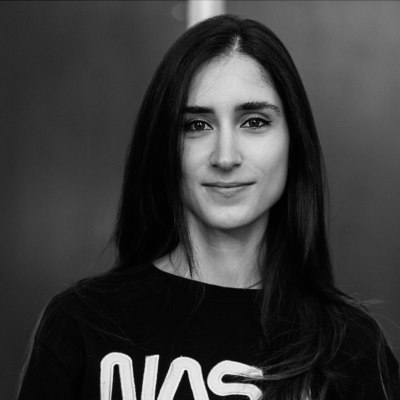
Flavia Ballabene
Los Angeles, California, United States
Actions
Links
Area of Expertise
Topics
Building Demand Forecasting with BigQuery ML
Designed in collaboration with the Los Angeles Public Library and Google Developer Groups, this hands-on session guided attendees as they explored how to leverage SQL-based machine learning to predict market trends and future demand at scale.
Using the public NYC Citi Bike Trips dataset as a practical sandbox, attendees learned how to process large datasets, evaluate statistical model performance, and generate actionable future forecasts using BigQuery ML without leaving the data warehouse.
Key Concepts & Technical Workflow:
• Data Exploration & Transformation: Processed and queried large-scale public datasets in BigQuery
• Time-Series Forecasting: Trained automated time-series models using the ARIMA algorithm to handle complex multi-item forecasting pipelines.
• Model Evaluation: Analyzed key statistical evaluation metrics to validate model accuracy and fit.
• Batch Predictions: Generated batch demand predictions for 30-day forecasting horizons to power data-driven applications.
Technical Stack:
• Infrastructure & Platform: Google Cloud Console, BigQuery Data Warehouse
• Machine Learning Framework: BigQuery ML
• Algorithms & Models: ARIMA / auto.ARIMA, STL Decomposition, Exponential Smoothing
• Data Processing Language: SQL
Get Started with Vibe Coding and Gemini CLI
This workshop introduced attendees to the shift toward Vibe Coding. using natural language prompts to guide AI assistants through the software development lifecycle. Attendees explored how to leverage Gemini CLI, an open-source terminal AI agent, to generate, refine, and debug applications directly from the command line. The session covered core CLI configurations, built-in system tools, shell mode execution, and extending model capabilities using the Model Context Protocol to connect external data sources.
Key Concepts & Technical Workflow:
• AI-Assisted Development: Guided AI agents using natural language prompts to auto-generate, refine, and debug functional application code.
• Gemini CLI Configuration & Context: Customized model behavior and system prompts using settings.json and AGENTS.md context files to enforce project coding standards.
• Built-in Tooling & Execution: Utilized native agent tools to execute filesystem operations and retrieve web data safely.
• Extending Functionality with MCP: Configured Model Context Protocol servers to integrate external data sources and extend terminal agent capabilities.
Technical Stack:
• Infrastructure & Environment: Google Cloud Shell, Cloud Shell Editor Integrated Terminal
• AI Agent & Models: Gemini CLI, Gemini Model Family
• Protocols & Standards: MCP, Markdown-based Prompt Context
Develop an App with the Gemini API in Gemini Enterprise Agent Platform
In this hands-on workshop, hosted for Google Developer Groups in collaboration with the Los Angeles Public Library, participants build a full-stack Python application utilizing the google-genai SDK to handle diverse data inputs across four specialized playground tabs:
• Story Generator (Text-to-Text): Implemented parameter-driven prompt structure and streamed text content.
• Marketing Campaign Planner (Structured Text): Captured explicit form elements to output structured marketing strategy briefs and KPI metrics.
• Video Playground (Video-to-Text): Processed raw video payloads (e.g., mp4 files) to generate visual descriptions, pinpoint timeline highlights, and extract environmental metadata.
• Image Playground (Image-to-Text): Used computer vision workflows to analyze image layouts, parse control panels for step-by-step instructions, interpret Entity-Relationship diagrams, and execute math reasoning problems.
The Engineering Stack and Infrastructure:
• Frontend: Built using the Streamlit framework to handle reactive application states and UI rendering.
• Enterprise Controls: Wrote custom execution configurations to lock down explicit backend Safety Thresholds.
• DevOps and Deployment: Wrote a production Dockerfile, built the container image via Cloud Build, stored it in Artifact Registry, and deployed it live on Google Cloud Run serverless infrastructure.
Whether the goal was to generate creative text, analyze marketing data, or process multimedia inputs, this workshop marked the first step of a four-part journey designed to take developers through the entire lifecycle of enterprise AI.
Please note that Sessionize is not responsible for the accuracy or validity of the data provided by speakers. If you suspect this profile to be fake or spam, please let us know.
Jump to top