
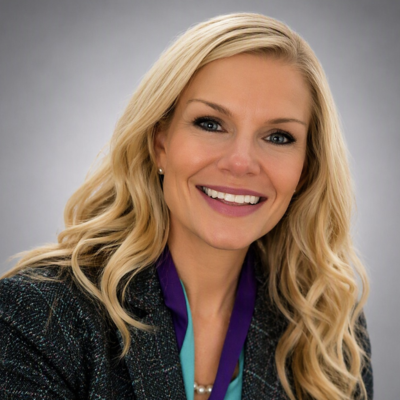
Jennifer Ratten
VP, Application Engineering | Microsoft Data Platforms Super User
Jacksonville, Florida, United States
Actions
I bridge business strategy and hands‑on engineering to design data, AI and low code solutions that deliver real impact. Starting my career on the business side gave me a deep understanding of stakeholder needs and organizational dynamics; transitioning into technology allowed me to turn that insight into scalable, production‑ready platforms.
I specialize in modern data architectures, analytics infrastructure, and AI‑driven automation, with a focus on building systems and frameworks that empower teams and move the business forward. I’m an active technical writer, workshop facilitator, and community contributor, and a Microsoft Data Platforms Super User.
Links
Badges
Area of Expertise
Topics
Operating & Architecting with Data Agents: Patterns, Risk, and Trust at Scale
Design trusted, compliant conversational access to governed data. This workshop focuses on execution identity decisions, RLS/OLS enforcement, auditability, and using governance practices (including Purview alignment concepts) to prevent oversharing. Participants leave with a practical checklist for deploying agents safely across audiences.
This session is ideal for Fabric admins, security teams, and data governance leaders who want to deploy data agents safely by designing execution identity, enforcing RLS/OLS, and aligning governance practices to prevent oversharing and loss of trust.
From Semantic Models to Reasoning Systems: Understanding Fabric Data Agents at a Systems Level
A guided tour of why Fabric Data Agents represent a shift from human-authored queries to AI-authored execution logic under guardrails. Learn what a data agent is (and is not), how it fits into the Fabric ecosystem, and how the agent reasoning loop plans and executes grounded answers across governed Fabric artifacts.
This session is ideal for analysts, analytics leads, data product owners, and technical managers who want to understand how Fabric Data Agents shift analytics from human-authored queries to AI‑driven reasoning systems operating under governance guardrails.
Fabric Data Agent Architecture Patterns: Choosing the Right Consumption Path
Explore the most common and successful architectural patterns for consuming Fabric Data Agents: native Copilot experiences, custom business Q&A apps, agent-to-agent developer workflows via MCP, and enterprise data APIs with optional agent translation. Learn how to choose between Data Agent API, MCP server, and GraphQL depending on your consumers and risk profile.
This session is ideal for solution architects, application developers, and platform engineers who want to choose the right architectural pattern for consuming Fabric Data Agents across Copilot experiences, custom apps, APIs, and agent‑to‑agent workflows.
Designing AI‑Ready Data Surfaces: Why Agents Expose Your Weak Spots
Build the semantic and data foundations that make agents reliable. This workshop translates modeling best practices into agent-ready guidance: naming and definitions, explicit measures, star schema discipline, and how to prevent ambiguous data surfaces. Includes common failure modes and Fabric-native remediation strategies to improve grounding quality.
This session is ideal for BI developers, semantic modelers, data engineers, and analytics architects who want to design data and models that produce reliable, grounded results when consumed by AI agents.
Building Trustworthy Data Agents in Microsoft Fabric
Data agents are easy to demo but can be hard to run at scale. This session walks through real patterns and best practices for building production-ready data agents in Microsoft Fabric.
Microsoft Fabric Governance Patterns and Conventions that Scale
Scalable and effective governance is built on patterns rather than policing. In this session, I’ll share practical recipes, conventions, federated ownership models, and strategic guardrails to operationalize Microsoft Fabric governance at scale. Attendees will learn repeatable patterns that empower teams and how to use platform strategy to replace ad‑hoc controls.
Microsoft Fabric Workspace Strategy: The Good, The Bad, and The Sprawl
Microsoft Fabric makes it easy to create workspaces. Too easy.
Many organizations begin with a handful of workspaces and quickly find themselves managing dozens, hundreds, or even thousands. Different naming conventions emerge, ownership becomes unclear, security models diverge, and deployment processes become increasingly difficult to maintain.
In this practical, experience-based session, we'll explore the most common workspace strategies used in Microsoft Fabric and Power BI environments and discuss the benefits, tradeoffs, and risks of each approach. We'll examine how workspace design decisions affect security, governance, collaboration, deployment pipelines, capacity planning, self-service analytics, and long-term scalability.
Through real-world examples and architectural patterns, you'll learn how enterprise organizations structure workspaces, when to separate or consolidate them, and how to avoid the workspace sprawl that often accompanies rapid Fabric adoption.
Whether you're designing a new Fabric environment or trying to bring order to an existing one, you'll leave with a practical framework for evaluating workspace strategies and a set of actionable recommendations you can apply immediately.
Reserve time will be provided for audience discussion and questions, allowing attendees to compare approaches and share lessons learned from their own Fabric implementations.
Learning Objectives
By the end of this session, attendees will be able to:
- Identify common Microsoft Fabric workspace architecture models
- Understand the advantages and disadvantages of each strategy
- Design workspace structures that support governance and self-service analytics
- Align workspaces with deployment pipelines and release management practices
- Reduce workspace sprawl while maintaining business agility
- Create ownership, lifecycle, and support models for Fabric workspaces
- Evaluate when a new workspace is justified versus when existing workspaces should be reused
Session Duration
- 45 minutes (35 minutes presentation, 10 minutes Q&A)
Session Format
- Demo-light, architecture-focused presentation featuring real-world governance and workspace design patterns for Microsoft Fabric and Power BI environments.
Target Audience
- Fabric Administrators, Power BI Administrators, Data Architects, Analytics Engineers, BI Developers, Governance Teams, COE Leaders, Platform Owners, and technical decision makers responsible for analytics platforms.
Technical Level
- Intermediate (200). Attendees should have a basic understanding of Microsoft Fabric or Power BI workspaces. No coding experience is required.
Technical Requirements
- Standard presentation setup with projector/display and internet access. Live demonstrations are optional and can be included or omitted based on conference requirements and connectivity considerations.
Key Topics Covered
- Workspace architecture patterns
- Governance and ownership models
- Security and access strategies
- Capacity alignment considerations
- Deployment pipeline design
- Workspace lifecycle management
- Preventing workspace sprawl
- Enterprise-scale Fabric adoption
Session Status
- Available for in-person or virtual delivery.
Speaker Experience
- Delivered by a Microsoft Fabric platform leader responsible for large-scale enterprise Fabric and Power BI environments supporting thousands of users, hundreds of workspaces, and governed self-service analytics programs.
Conference Tracks
- Microsoft Fabric, Power BI, Data Platform, Analytics, Architecture, Governance, Administration, Data Management, Business Intelligence, and Enterprise AI.
Audience Takeaways
- Attendees will leave with a practical decision-making framework for workspace design, governance recommendations, and actionable strategies that can be applied immediately within their organizations.
Trust but Verify: Building Ground Truth Test Sets for Microsoft Fabric Data Agents
Short Description
Learn how to create ground truth test sets for Microsoft Fabric Data Agents using a practical framework from a Microsoft Fabric Community blog series. Discover how to measure accuracy, improve trust, and operationalize AI quality testing.
Session Abstract
Microsoft Fabric Data Agents can transform how users interact with data, but how do you know when an agent is providing accurate, trustworthy answers?
Based on a Microsoft Fabric Community blog series and real-world enterprise implementations, this session introduces a practical framework for creating and maintaining ground truth test sets for Fabric Data Agents. While many organizations focus on prompts and semantic models, far fewer establish a repeatable process for validating agent behavior and measuring answer quality over time.
We'll explore how to build business-driven test questions, define expected outcomes, evaluate response quality, and create repeatable validation processes that support production-ready AI solutions. Attendees will learn how ground truth testing can help identify regressions, improve stakeholder trust, and establish governance processes for enterprise AI workloads.
Using examples and lessons learned from the blog, we'll walk through a complete testing lifecycle, from identifying critical business questions through scoring, monitoring, and continuous improvement.
Whether you're experimenting with your first Data Agent or supporting enterprise-scale AI adoption, you'll leave with practical guidance, templates, and a proven methodology for measuring what matters most: the quality of the answers your users receive.
Learning Objectives
By the end of this session attendees will be able to:
Understand the purpose and value of ground truth testing
Create representative business-focused test sets
Define measurable success criteria for Data Agent responses
Identify accuracy, consistency, and completeness issues
Detect regressions when semantic models or agents change
Develop ongoing evaluation and governance processes
Improve stakeholder confidence in AI-powered analytics
Session Duration
- 45 minutes (35 minutes presentation, 10 minutes Q&A)
Session Format
- Educational presentation combining concepts, testing frameworks, implementation guidance, and light demo.
Technical Level
- Intermediate (Level 200)
Target Audience
- Architects, Fabric Administrators, BI Professionals, Analytics Engineers, Data Engineers, AI Practitioners, Governance Teams, and anyone responsible for deploying and supporting Fabric Data Agents.
Prerequisites
- Basic understanding of Microsoft Fabric, semantic models, or Data Agents is recommended but not required.
What Attendees Will Receive:
- Ground truth testing framework
- Test question design methodology
- Evaluation scoring concepts
- Governance recommendations
- Practical implementation guidance
- Real-world lessons learned from enterprise deployments
Conference Tracks
- Microsoft Fabric, Data & AI, Analytics, Governance, Business Intelligence, Architecture, Data Platform, and Enterprise AI.
Build, Test, and Deploy a Microsoft Fabric Data Agent
AI agents are reshaping how organizations work with data, empowering users of every skill level to intuitively explore data using conversational analytics and uncover actionable insights, and Microsoft Fabric Data Agents are at the forefront.
In this workshop you will learn what a data agent is and how to make your data AI-ready. You will build, configure, tune and test a data agent using Fabric's rich features and best practices, empowering faster and smarter decision-making.
Format: Hands-On Workshop
Length: Full Day
Difficulty Level: 200
Can You Trust Your Data Agent's Answers? Test Today, Monitor Tomorrow
How do you know if a Fabric Data Agent is answering correctly? Learn how to build and maintain a set of known, correct answers, test the agent, review accuracy results, and detect when answers and accuracy changes. Attendees will see a practical demonstration of each step and will leave with an approach they can adapt to validate their own agents.
Meet Osmos: A New Way to Approach Data Engineering in Fabric
Meet Osmos and learn how it can fit into your Microsoft Fabric data engineering work. We'll introduce the Fabric Data Engineer agent, explain when and why you might use it, and walk through a practical demonstration so you can see it in action. You'll leave with a clear understanding of where Osmos fits, how to get started, and how it can help make data engineering work more accessible and productive.
Meet Copilot: A New Way to Get Work Done
Meet Copilot and learn how it can fit into your everyday work. We'll explore where Copilot can help, when and why you might use it, and walk through practical examples so you can see it in action. You'll leave with a clearer understanding of how to get started, where Copilot can add the most value, and how to make it part of the way you work.
Level 100
Meet Cowork: A New Way to Work with AI
Meet Cowork and explore a new way of working alongside AI. We'll introduce Cowork, explain when and why you might use it, and walk through a practical example that shows what working with an AI-powered collaborator can look like. You'll leave with a clearer understanding of where Cowork fits, how to get started, and how it can help you move from asking AI questions to getting work done together.
Level 100
Meet Copilot Studio: Building Agents with Ease
Meet Copilot Studio and learn how you can use it to create agents that support real business processes. We'll introduce the core concepts, explain when and why you might build an agent, and walk through a practical demonstration so you can see the experience from idea to working solution. You'll leave with a clear understanding of where Copilot Studio fits, how to get started, and the kinds of problems agents can help solve.
Level 100
Meet Power Apps: An Intro to Turning Ideas into Apps
Meet Power Apps and learn how you can turn business ideas into useful applications without complicated software development processes. We'll explore when and why you might build a Power App and walk through a practical example from idea to working app. You'll leave with a clear understanding of where Power Apps fits, how to get started, and how it can help bring solutions closer to the people who understand the business problem.
Level 100
Meet Power Automate: Intro to Automating Everyday Work
Meet Power Automate and learn how you can automate repetitive work and connect the tools you already use. We'll explore when and why automation makes sense and walk through a practical example so you can see a flow in action. You'll leave with a clear understanding of where Power Automate fits, how to get started, and how automation can give you more time to focus on higher-value work.
Level 100
Meet Apps and Agents: A New Way to Build with AI
Discover how apps and agents can work together to create a new generation of business solutions. We'll explore when an app is the right experience, when an agent makes more sense, and what happens when you bring the two together. Through a practical demonstration, you'll see how Power Platform and Copilot Studio can help turn a business need into an intelligent solution that people can actually use.
From Prompt to Solution: Building with Copilot and Power Platform
See how an idea that starts with a prompt can become a working business solution. We'll explore how Copilot, Copilot Studio, and Power Platform can support different parts of the journey and walk through a practical example from concept to experience. You'll leave with a clearer understanding of how these tools fit together and how to start turning your own ideas into apps, automations, and agents.
Level 100
Copilot: Beyond Better Prompts
Getting value from Copilot takes more than knowing how to write a good prompt. In this session, we'll explore how to approach Copilot as part of a repeatable way of working, using context, iteration, validation, and reusable instructions to produce better outcomes. Through practical examples, you'll see how to move from one-off prompting to workflows that make Copilot genuinely useful for everyday work.
Level: 200
Building Your First Business Agent with Copilot Studio
What makes a good use case for an agent, and how do you turn that idea into something people can actually use? We'll take a realistic business scenario and work through the decisions involved in building it with Copilot Studio, including instructions, knowledge, actions, and orchestration. Along the way, we'll discuss where agents add value, where they don't, and the design choices that can make the difference between a demo and a useful business solution.
Level 200
Apps, Agents, and Automations: Choosing the Right Tool for the Job
Should you build an app, an agent, an automation, or some combination of the three? This session explores how Power Apps, Power Automate, and Copilot Studio fit together and where each approach works best. We'll work through real-world scenarios and the design decisions behind them so you can choose an architecture based on the experience and business outcome you need rather than simply starting with a favorite tool.
Level: 200
Agentic Power Platform: Designing Solutions Where Apps and Agents Work Together
The next generation of Power Platform solutions won't always be an app or an agent. Often, they'll be both. In this session, we'll explore patterns for combining Power Apps, Power Automate, Dataverse, and Copilot Studio to build solutions where deterministic business processes and AI-driven experiences complement each other. We'll examine practical architecture choices, boundaries between components, and the decisions involved in moving from experimentation toward production-ready solutions.
Level: 300
Copilot Studio Under the Hood: Designing Better Agents
Building an agent is easy. Designing one that behaves predictably, uses the right knowledge, takes appropriate actions, and solves a meaningful business problem requires more thought. This session goes deeper into agent design in Copilot Studio, examining instructions, knowledge grounding, actions, orchestration, boundaries, and testing. We'll use a practical scenario to show how design decisions influence the behavior and usefulness of an agent.
Level: 300
From Prototype to Production: Building Governed Power Platform Solutions
A Power Platform solution that works in a demo isn't necessarily ready for the enterprise. This session looks at what changes as a solution moves toward production, including environments, Dataverse, connection references, security, deployment, governance, and lifecycle management. We'll use a practical solution architecture to explore the decisions teams should make early so that rapid development doesn't become tomorrow's technical debt.
Level: 300
Cowork: From AI Assistant to AI Collaborator
What changes when AI moves beyond answering individual prompts and begins helping you carry work forward? In this session, we'll explore Cowork through realistic work scenarios and examine where this model differs from traditional Copilot interactions. We'll focus on how to determine which work is appropriate to delegate, how to maintain human oversight, and how this emerging way of working changes the relationship between people and AI.
Level 200
Build the Right Thing: Finding High-Value Use Cases for Copilot and Agents
The hardest part of building with AI often isn't the technology. It's choosing the right problem. In this session, we'll examine a practical framework for evaluating Copilot and agent use cases based on business value, complexity, data, risk, and measurability. We'll work through example scenarios and show how to distinguish an interesting AI demo from a solution worth investing in.
Level: 200
Don't Build an Agent Yet: Making Better AI Architecture Decisions
Not every problem needs an agent. Sometimes a Copilot experience, Power App, Power Automate flow, traditional application, or simple process change is the better solution. We'll examine several business scenarios and work through the architecture decisions behind each one, including where deterministic automation should end and AI-driven behavior should begin. You'll leave with a practical way to evaluate agent opportunities before committing to a design.
Level: 300
Rethinking Data Engineering with Osmos
What if building a data engineering solution started with the outcome rather than the pipeline? In this session, we'll explore how Osmos, the Fabric Data Engineer agent, introduces a different approach to data engineering in Microsoft Fabric. Through a practical scenario, we'll move from requirements and data sources to an engineered solution, highlighting where an agent-assisted approach changes the traditional workflow. You'll leave with ideas for incorporating Osmos into real-world Fabric projects and understanding where human engineering judgment still matters.
Build with Osmos: Agent-Assisted Data Engineering in Microsoft Fabric
Let's put Osmos to work. In this demo-driven session, we'll use the Fabric Data Engineer agent to tackle a realistic data engineering scenario in Microsoft Fabric. We'll explore how to get started, how to work with the agent throughout the engineering process, and where its assistance can accelerate the path from raw data to a usable data solution. Rather than simply introducing Osmos, this session focuses on learning by building.
Hands-on / build-focused - Primarily a live build rather than an overview plus demonstration.
The Data Engineer and the Agent: Building Together with Osmos
AI agents are beginning to change not just what data engineers build, but how they work. This session explores a human-plus-agent approach to data engineering using Osmos and the Fabric Data Engineer agent. Through a practical example, we'll examine which parts of the engineering workflow can be accelerated with an agent, where the data engineer remains in control, and how the two can work together inside Microsoft Fabric.
Focuses on the changing role and workflow of the data engineer
Making Fabric Data Engineering More Accessible with Osmos
Data engineering can have a steep learning curve, particularly for people who understand their data and business requirements but are newer to engineering concepts. In this session, we'll explore how Osmos and the Fabric Data Engineer agent can provide a more approachable path into data engineering with Microsoft Fabric. A practical demonstration will show the agent-assisted experience in action and help you understand where it can support both experienced engineers and those expanding their Fabric skills.
Focuses on lowering the barrier to data engineering.
Where Does Osmos Fit? A Practical Guide for Fabric Data Engineers
New AI capabilities are exciting, but data engineers ultimately need to know where they belong in real projects. This session takes a practical look at Osmos and the Fabric Data Engineer agent through the lens of an existing Microsoft Fabric data engineering workflow. We'll explore where an agent-assisted approach can add value, where traditional engineering approaches still make sense, and what to consider when deciding how Osmos fits into your own Fabric environment.
A decision framework rather than a product introduction.
Data Engineering Is Changing: Meet Osmos for Microsoft Fabric
The next generation of data engineering may look very different from today's pipeline-first experience. In this session, we'll explore that shift through Osmos and the Fabric Data Engineer agent. Using a practical Fabric scenario, we'll demonstrate what agent-assisted data engineering looks like and examine how it can change the journey from an idea or requirement to an engineered data solution. You'll leave with a clearer picture of what this emerging approach could mean for the way you build in Microsoft Fabric.
More strategic and forward-looking, while retaining the technical demo.
Future-facing / conference-friendly
Prompt to Pipeline: Engineering Data Solutions with Osmos in Microsoft Fabric
Can you move from an engineering objective to a working data solution by collaborating with an AI agent? In this session, we'll put that idea to the test using Osmos and the Fabric Data Engineer agent. Starting with a real-world requirement, we'll work through the engineering process in Microsoft Fabric and examine how the agent helps translate intent into implementation. Along the way, we'll highlight where engineering decisions, validation, and human judgment remain essential.
Creates a clear requirement → agent collaboration → engineering → validation narrative
Jennifer Ratten
VP, Application Engineering | Microsoft Data Platforms Super User
Jacksonville, Florida, United States
Links
Actions
Please note that Sessionize is not responsible for the accuracy or validity of the data provided by speakers. If you suspect this profile to be fake or spam, please let us know.
Jump to top