
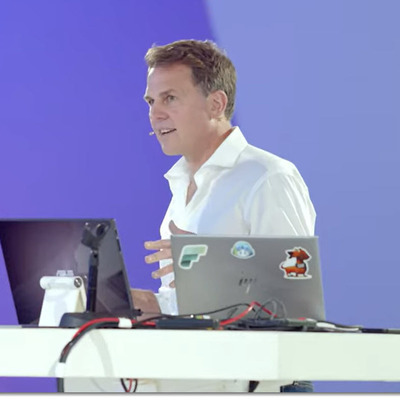
Philip Seamark
Microsoft Fabric CAT team
Wellington, New Zealand
Actions
Phil Seamark works on the Microsoft Fabric CAT team and is an accomplished database and business intelligence (BI) professional. Phil has an in-depth knowledge of the Microsoft BI stack along with extensive knowledge of data warehouse (DW) methodologies and enterprise data modelling.
Phil has expert knowledge in all facets of BI/DW including planning architecture, project management, dimensional modelling, performance tuning, ETL design, development and optimisation, report and dashboard design as well as installation and administration.
Phil has written several books DAX and Data modelling and has also blogged extensively at dax.tips
Links
Badges


Area of Expertise
Topics
Successful Semantic Modelling for Power BI
Great reports start with great models—and great models are designed, optimised, and proven. In this full‑day, hands‑on workshop you’ll learn how to build Power BI semantic models that stay fast as they grow. We’ll begin with modelling fundamentals and quickly move into the strategies that separate good solutions from great ones: storage mode choices that scale, optimisation techniques that stick, and monitoring practices that keep you fast in production.
You’ll practise applying aggregations, hybrid tables, split columns, and data partitioning to tame large datasets. We’ll demystify distinct‑count at scale (both via data modelling and aggregation design), and you’ll blueprint models around common DAX patterns—period comparisons, ranking, and child‑to‑parent ratios—so they’re robust and repeatable. You’ll learn a pragmatic approach to diagnosing slow visuals and validating improvements with load testing using Microsoft Fabric (plus alternative options).
Finally, we’ll make your model Copilot‑ready with natural‑language semantics, synonyms, and well‑named artifacts; and you’ll operationalise performance with VertiPaq Analyzer, Log Analytics, Capacity Metrics, and BPA.
Along the way, you’ll work with the right tools for the job—Power BI Desktop, XMLA, TMDL/TMSL, and Semantic Link / Semantic Link Labs—to design, optimise, and prove your model end‑to‑end. You’ll leave with a tested performance playbook and reusable assets you can apply immediately.
Who should attend?
BI developers, data modellers, analytics engineers, and Power BI admins who already know basic DAX/modeling and want to ship faster reports, scale to bigger data, and prepare for Copilot.
What you’ll be able to do after this workshop
• Pick the right storage mode and partitioning strategy for your data size, refresh cadence, and SLA.
• Implement aggregations and hybrid tables that measurably reduce query time.
• Model distinct‑count accurately and efficiently, avoiding common pitfalls.
• Design for common DAX patterns (period comparisons, ranking, child‑to‑parent ratios) with predictable performance.
• Diagnose and fix slow visuals using a repeatable triage and tuning approach.
• Load‑test and monitor models using Fabric, VertiPaq Analyzer, Log Analytics, Capacity Metrics, and BPA.
Optimise for Copilot with natural‑language friendly semantics, synonyms, and artefact naming.
Microsoft Fabric Power BI DirectLake Deep Dive
Microsoft Fabric is here, and it fundamentally changes our data landscape. It introduces a Power BI like SaaS model for the data platform. You can now with a few clicks ingest data into the cloud by running pipelines, create a Lakehouse to make that data accessible and run Python, Spark, SQL and DAX on top of it. One of the most exciting new features that come with Fabric is DirectLake. DirectLake is a fast path to load the data from the data lake straight into the Power BI engine, immediately ready for analysis.
In this session we get you ready to decide if you should use DirectLake for your new project and what all the things you should know for your project.
First, we will do an introduction of Microsoft Fabric is, then we will get an overview of lakehouse and how the data is stored in parquet files under the covers. Then we will dive deep into DirectLake. How is this data being exposed to Power BI through Directlake and how this differs from DirectQuery or Import? How can we use RLS security to protect our data? Then we'll solve some traditional BI patterns like incremental refresh and transactions on top of data getting loaded into the Fabric lakehouse. Then we'll talk about how to get the best performance and show you all the steps to debug this.
At the end of this session, you are ready to tackle any new DirectLake session
Visualize Without Limits: AI-Powered Custom Visuals for the No-Code Era
Creating custom visuals used to be slow and complex. In this session, see how modern AI tools and the Power BI Visuals SDK turn that challenge into a fast, approachable process. Learn step-by-step techniques to build, customise, and ship visuals—quickly and confidently
Taking Direct Lake to the Next Level
Learn how to design and optimise Power BI models using Direct Lake in Microsoft Fabric. This session covers advanced DAX techniques, storage‑mode strategies, and performance tips to help you build faster, more scalable solutions. Walk away with practical patterns you can apply immediately in your own projects.
Power BI Storage Modes: The Ultimate Showdown
Power BI offers three different storage modes for data: Direct Query, Import and Direct Lake. Each of them has its own advantages and disadvantages, depending on the scenario and the requirements. But which one is the best overall? How do they compare in terms of performance, scalability, flexibility and ease of use?
In this session, we will put the three storage modes to the test in a series of challenges inspired by the Olympic Pentathlon. We will use real-world data sets and scenarios to measure how each storage mode handles different aspects of data analysis and visualization. We will also share some best practices and tips on how to choose the right storage mode for your project.
By the end of this session, you will have a better understanding of the strengths and weaknesses of each storage mode, and you will be able to decide which one deserves the gold medal in your Power BI dashboard.
Load Testing Semantic Models with Fabric Notebooks
This session presents a practical walk-through of a real-world Power BI solution designed to support 20,000 users at Microsoft.
It explores how a notebook-driven method can streamline load testing—from capturing DAX queries and configuring row-level security (RLS), to stress-testing capacity under high concurrency, and finally analyzing test results.
Attendees will discover how these steps help establish benchmarks, optimize Power BI reports, and more accurately gauge capacity requirements, all within an easy-to-configure end-to-end process.
A Comprehensive Guide to Direct Lake for the Pro Data Modeller (Hands-On Lab)
Join us for an immersive, hands-on workshop designed specifically for Pro Data Modellers. This comprehensive session will guide you through all the critical elements needed to build, tune, and maintain a Direct Lake Model in Microsoft Fabric.
Throughout the workshop, you will delve into essential topics such as:
-Understanding the prerequisites for setting up your model.
-Exploring the anatomy of Parquet files and their role in data storage.
-Mastering transcoding and framing techniques to optimize data processing.
-Implementing SQL fallback strategies for enhanced reliability.
-Discovering new features and how they can benefit your projects.
-Ensuring robust security measures to protect your data.
-Fine-tuning performance to achieve optimal efficiency.
-Navigating the migration process with ease.
-Tackling advanced topics to elevate your modelling skills.
By the end of this workshop, you will have gained the knowledge and skills necessary to effectively manage a Direct Lake Model, ensuring your projects are both efficient and secure.
Analytics at the speed of Direct Lake
Join Patrick Leblanc and Phil Seamark for a deeper dive to discover what makes Direct Lake so fast. This session will cover important elements of monitoring and optimizing your Fabric data platform to unlock the full potential of Direct Lake, such as how to interpret Delta Analyzer logs and what to look out for if things slow down.
Debug DAX like a PRO
Phil will walk you through the techniques used by the Power BI team when debugging and optimising DAX in large enterprise models. These equally apply for small and medium size models. Come away knowing how to identify and speed up slow running DAX calculations.
Intro to Microsoft Fabric
In 2023, Microsoft officially announced one of the most significant changes to the reporting and analytics landscape with the launch of Microsoft Fabric.
Microsoft Fabric is an all-in-one analytics solution for enterprises that covers everything from data movement to data science, Real-Time Analytics, and business intelligence. It offers a comprehensive suite of services, including data lake, data engineering, and data integration, all in one place.
This session provides an overview of Microsoft Fabric along with an end-to-end demo.
Optimising DAX fusion - Power BI
Ever wanted to make your busy matrix visuals in your Power BI reports to load faster? Especially over larger datasets under high concurrency.
Join Phil Seamark, who is a DAX/Data-Modelling specialist on Microsoft Fabric CAT help you understand why DAX fusion can be critical when it comes to optimising important Power BI reports for high performance. This advanced session covers the various types of DAX Fusion available today in Power BI and shares many techniques that take advantage of fusion to significantly speed up calculations that otherwise appear to follow best practices.
This session is valid for Direct Query, Import and Direct Lake models.
AI-Powered Semantic Modelling for Power BI in Microsoft Fabric
AI is transforming the way we build and manage Power BI semantic models, but only if the foundations are right. In this full day workshop, you will follow the complete lifecycle of a production ready semantic model in Microsoft Fabric: from early planning decisions through to monitoring in production.
You will start by choosing the right storage mode and designing a star schema that works for both your reports and AI tools like Copilot. Then you will build a real semantic model using modern AI assisted tooling, including MCP servers that let you create tables, measures, and relationships through natural language.
But building is just the beginning. You will learn how to prepare your model so that AI features actually work, adding synonyms, descriptions, and linguistic metadata that make Copilot and Q&A shine. You will then tackle DAX performance head on, using AI powered analysis to find and fix slow queries before your users notice.
The day rounds out with enterprise essentials: designing scalable security with row level and object level security patterns, and setting up the monitoring and alerting that keeps your models healthy in production.
By the end, you will have the skills and confidence to plan, build, optimise, secure, and monitor semantic models that make Power BI reports run blazingly fast, with AI as your co pilot every step of the way.
**What you'll learn**:
- Plan and design semantic models that are optimised for both performance and AI
- Build models using AI-assisted tooling and MCP servers
- Prepare your model with synonyms, descriptions, and metadata so Copilot works brilliantly
- Identify and fix slow DAX using AI-powered performance analysis
- Implement scalable row-level and object-level security
- Set up monitoring, alerting, and lifecycle management in Microsoft Fabric
By the end of this workshop, every attendee will be well-equipped to **plan,
build, optimise, secure and monitor** a semantic model in Microsoft Fabric —
so that the Power BI reports sitting on top run really, really fast.
Microsoft TechCon 365, PWRCON & DATACON 2026 Sessionize Event
FABCON 2026 & SQLCON 2026 - SESSIONS Sessionize Event
Data Saturday Chicago 2026 Sessionize Event
Power BI Gebruikersdagen 2026 Sessionize Event
SQL Konferenz 2026 Sessionize Event
Data Saturday 2026 Sessionize Event
Power BI Next Step 2025 Sessionize Event
DATACON Seattle 2025 Sessionize Event
Microsoft Fabric Community Conference Sessionize Event
Digital Workplace Conference - New Zealand 2025 Sessionize Event
Data Saturday #49 - Denmark - 2025 Sessionize Event
Fabric February 2025 Sessionize Event
Difinity Conference - Fabric Tour ANZ 2024 Sessionize Event
European Microsoft Fabric Community Conference Sessionize Event
Philip Seamark
Microsoft Fabric CAT team
Wellington, New Zealand
Links
Actions
Please note that Sessionize is not responsible for the accuracy or validity of the data provided by speakers. If you suspect this profile to be fake or spam, please let us know.
Jump to top