
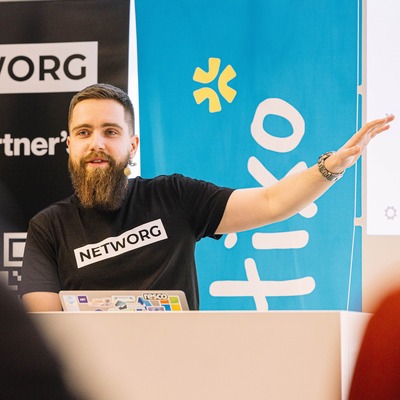
Tomas Prokop
Microsoft MVP / Power Platform Architect
Prague, Czechia
Actions
I'm a Microsoft MVP in Business Applications who thinks the Power Platform community spent a decade treating "code" like a swear word. Now AI is generating JavaScript, React, and Python faster than most can review it. The real skill isn't generating code - it's deciding what NOT to build.
My journey in IT started in high school with ASP.NET and Android apps. I got serious about Microsoft technologies through the Student Partners program and joined the Czech Microsoft team in 2016, supporting startups through BizSpark. That's where I discovered Dynamics XRM and got hooked on the platform's potential - and its pain points.
Fellow MVP Jan Hajek and I started NETWORG to build Microsoft business applications the way professional developers expect: Dataverse plugins in C#, PCF components, custom connectors, automated testing with Playwright, and Azure DevOps pipelines that deploy code, infrastructure, and configuration as one unit. We adopted CI/CD and DevOps practices early because we kept hitting the ceiling of what point-and-click tooling could deliver.
LLMs are excellent tools for working with unstructured information - but treating them like magic hurts adoption more than it helps. I focus on what actually works in production: architecture patterns documentation doesn't cover, real failures and workarounds, and why your AI-generated code still needs someone who understands what it's doing.
My sessions cover pro-developer experiences: Git monorepos, CI/CD pipelines, security internals, governance at scale, and AI-assisted full-stack development. If you've built a Power Platform app that grew beyond Excel automation into something mission-critical - and realized the tooling doesn't match the complexity anymore - these sessions are for you.
I organize the CZ/SK Power Platform User Group meetup at the Czech Microsoft office. Join us at https://ppug.community.
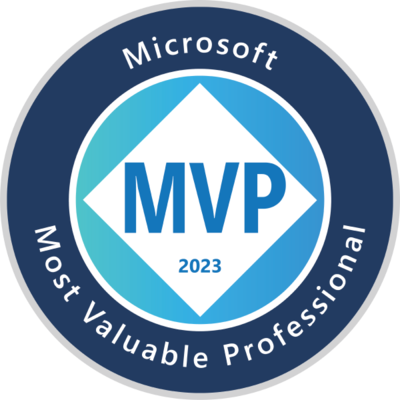
Badges

Area of Expertise
Topics
Making great specification when code is free
Code is getting cheaper. Understanding what to build is not.
AI-assisted tools turn weeks of implementation into hours. But organizations are producing more software, faster, that doesn't match how the business actually works. Specification stays stuck in backlogs, spreadsheets, slides, and scattered notes that can't be validated or versioned. The gap between IT and business is widening, not closing.
This session shows a practical LLM-based workflow tested in production - presented from a developer's perspective, which makes it different. Both sides get a shared toolset and language that actually works.
The real skill isn't generating code - it's deciding what NOT to build. Before any code generation: understand how the business creates value, what the cost structure looks like, how work gets done in reality. Build the business case. Estimate ROI. Validate change hypotheses against actual operations. Prioritization becomes obvious: low-effort, high-impact changes first. Prove value quickly, learn what works, then tackle harder problems.
The key is making business knowledge source-controlled and queryable. When context lives in Git alongside code, both humans and AI agents can ask clarifying questions without hunting down business analysts. You'll see what good specifications look like: format, semantics, structure that works for both humans and machines - surviving code regeneration while remaining stable as implementation changes.
Full stack solutions with Code Apps
Live coding a complete full-stack Power Platform solution from scratch. React Code Apps frontend with TypeScript, C# Dataverse plugins for server-side validation, custom connectors, Power Automate background jobs, Package Deployer shipping it all as one unit. The architecture coherent picture documentation doesn't provide.
You'll see the real implementation: plugins preventing data corruption with transactional safety that client validation can't enforce, monorepo structure with frontend and backend code, GitHub Copilot generating across the stack with custom instructions, deployment automation from development to production.
Developer workflow demonstration: VS Code workspace configuration, inner loop for rapid local iteration, outer loop with automated deployments, version control strategy for solution files, code review process when AI generates code, structuring pull requests across frontend and backend changes.
Working with logs and reponding to security incidents
Keeping track of sensitive data storage locations and diagnosing issues without proper tracing is challenging. Low-code platforms like Power Platform enable users to automate data flows easily, increasing the risk of losing control over sensitive data and facilitating data exfiltration.
Power Platform addresses these challenges through standardized monitoring and security features, making activities within applications more transparent compared to traditional black-box systems.
In this session, we will review native Power Platform logs and explore methods for analyzing telemetry data. The discussion will cover both operational monitoring, such as health metrics and troubleshooting, as well as security-focused topics including log collection, alerting, and incident response. We will demonstrate native integrations of Power Platform with Azure Application Insights (usage monitoring), Microsoft Purview (log collection and compliance management) and Microsoft Sentinel (threat detection and incident response).
Source control, build system and CI/CD pipelines
With the new native support for Git source control integration in Dataverse now available, we'll go beyond the basics. You'll learn how to manage Power Platform projects using monorepos in Git. We'll cover how to bring together all your assets—plugins, form scripts, PCFs, connectors and solution components. I'll guide you through setting up a build process with MSBuild and deploying solutions with Azure DevOps. I’ll demonstrate how to establish a proper workflow for multi-developer teams, including Git branching strategies, conflict resolution, PR quality checks, release management and automated deployment of code, infrastructure and configuration data.
This is a followup to my previous Code-first low-code sessions.
Lessons learned from governance strategy projects
Managing low-code platforms like Power Platform requires a different approach compared to traditional enterprise solutions. Understanding these differences is important for gaining alignment among key stakeholders.
I'll share experiences from multiple projects to establish governance strategies and operating models for Power Platform. The topic isn’t about installing tools or configuring a tenant - it involves understanding organizational dynamics, IT requirements and regulatory needs. I’ll discuss how to secure executive buy-in, navigate compliance and meet IT security demands while enabling business users, internal professionals and external partners to participate.
We’ll explore the principles of bi-modal IT, focusing on differentiating governance based on solution risk levels - balancing agility for business users with enterprise-level oversight for critical systems. I’ll also highlight features introduced by Microsoft that can support governance discussions with IT security and enterprise architects. This session will provide recommendations to help you implement governance strategies and operating models
Code-first low-code developer workflow with VS Code, CLI, MSBuild and DevOps
Have you reached the point where you use Power Platform for complex projects, critical workloads and realize there's a need for more structured approach? Wondering if there's a way to apply best practices from professional software development?
ℹ️ Power Platform serves both citizen and pro-developers.
⚠️ However, gaps in toolsets can pose challenges for projects led by professional development teams.
❓ Is there a way to simplify and standardize the developer workflow?
🏁 By integrating familiar tools, we can streamline the process for professional developers, reduce the learning curve, enhance reliability, and appeal to an existing pro-developer community.
Design, develop, test, debug, deploy, and support your Power Platform workloads efficiently, just as seasoned developers do. Attend this session to discover methods and learn how to expedite your projects.
Boost, automate, and scale your low-code development with:
* Figma UI prototyping + import/export of solution component
* Visual Studio Code + MSBuild + Power Platform IDE tooling
* Power Platform CLI + .NET Template Engine (dotnet new) scaffolding
* Advanced debugging and automated testing techniques
* Multi-layered managed solution design
* Shared .NET and TypeScript libraries + monorepo build system
* Azure DevOps CI/CD pipeline integration
If you resonate with the following challenges, this session offers solutions:
* High interaction cost - excessive clicking and loading times
* Slow UI prototyping and converting prototypes to real apps
* Difficulty in propagating and reverting changes across envs
* Conflicting with changes made by others
* Setting up a project structure and sharing code
* Long wait times for deployments
* Difficulty in managing a suitable versioning system
* Official tools not playing nice together
* Maintaining consistency in multi-developer teams
* Searching through code and refactoring
Disclaimer: This is the third revision of this session. With each iteration, I introduce fresh updates. If you've encountered this session elsewhere, I can confidently say it's worth revisiting.
Design, develop, test, debug, deploy, and support your Power Platform workloads efficiently, just as seasoned developers do. Attend this session to discover methods and learn how to expedite your projects.
Developer ALM lab - source control, build system and CI/CD
In this workshop, you’ll learn how to manage the lifecycle of Power Platform applications using the Dataverse Solution Framework. We’ll explore the out-of-the-box ALM features such as Power Platform Pipelines, Catalog for artifacts and the native Git integration. You will see where they work well and where you might need more advanced approaches. You’ll get hands-on experience creating your own setup, guided by experienced instructors.
We’ll show you how to manage projects in monorepos, combining plugins, form scripts, PCFs, connectors and solution components under one Git repository. You’ll see how to debug components, use MSBuild for build automation, deploy solutions using pipelines and maintain a proper development workflow with branching strategies, conflict resolution, code review and automated deployments of code, infrastructure and configuration data.
We’ll demonstrate how Azure DevOps and GitHub can be used with Power Platform solutions. You’ll learn how to make source control the single source of truth, which allows dev and test environments to be ephemeral helping you avoid inconsistencies. We’ll discuss how to segment solutions, move configuration data across environments, test your code and automate post-deployment tasks. By the end, you’ll know how to build, test, release and deploy a fully functioning Power Platform solution from source code.
AI-assisted full stack development on Power Platform
Power Platform development is shifting from low-code to AI-assisted coding or vibe coding. This workshop helps you make that transition by building production-grade solutions with GitHub Copilot (or Claude Code) - not just a frontend.
Vibe coding a single page app is easy with AI, but real solutions need a database schema, server-side validations, transaction management and background jobs. We'll show you what belongs on the client versus the server, and why trying to do everything in the frontend creates security holes and data integrity problems that'll come back to bite you.
You'll build a complete full-stack Power Platform solution leveraging:
* A Power Apps Code App frontend with React, TypeScript, and Fluent UI components
* Dataverse tables, columns, relationships and other metadata
* Dataverse plugins and custom APIs for server-side rules with transactional safety
* Custom connectors and Power Automate flows for background jobs
* A single git monorepo so Copilot sees full context across application layers
* Written specifications that work for both AI and humans - clear enough for code generation, detailed enough for team review
This workshop sets expectations about what coding agents can do today and equips you with patterns that promote quality. You'll understand full-stack architecture, have guardrails where AI can't break things and know when to let an agent code versus when you need to take control.
Can LLMs finally solve testing?
UI testing for Power Platform has always been painful - lack of tooling, a lot of upfront effort, constant maintenance and tests that break with every form change. This session shows a different approach: using LLMs to generate stable, maintainable test code from natural language scenarios.
Why UI-level tests over unit tests? When AI writes code, it writes tests that pass - adjusting both together until you get green checkmarks without real validation. User behavior simulation is the honest feedback loop: tests describe what users expect, not what the code does.
The workflow: an LLM with Playwright MCP explores your app, identifies testable scenarios, and generates Gherkin test plans. A GitHub Copilot agent converts those into Playwright code that runs without AI in your pipeline - deterministic, no inference costs. When tests fail, agent mode analyzes failures and proposes fixes.
Gherkin scenarios are implementation-agnostic - they describe behavior, not selectors. This makes them stable when UI changes, and lets them serve dual purposes: executable specifications that guide AI coding agents, and test definitions that validate the result. For new apps, you generate scenarios from specifications before any code exists - test-driven development with AI-generated tests as quality gates.
Security internals: identity, network, access, data
One major aspect of platform governance is data protection and risk mitigation. As more code is AI-generated, getting the security policies and configuration right is essential to prevent data leaking into the wrong hands. Power Platform has the controls, but they're scattered across different layers - network isolation, identity, access control, encryption.
We'll start with authentication fundamentals in Power Apps, Power Automate and Copilot Studio (OBO token flows, service principal client credentials) showing the right identity patterns and avoiding bad ones like handing out service account credentials or letting vendors access privileged identities.
Then each security layer. Identity and access: Entra ID fundamentals, Power Platform management roles, PIM for just-in-time access, Managed Identities, Conditional Access. Network isolation: VNet integration with subnet delegation and private endpoints when compliance demands it. Boundary protection: IP firewall, tenant isolation, cookie binding, CSP headers, app access control with audit mode discovery. Data protection: Customer-Managed Keys for key ownership.
Application-layer controls in Dataverse: security roles with privilege depth, automated assignment through Entra ID groups, Modernized Business Units, Access Teams, Column-Level Security, Hierarchy Security, Purview labels. For Copilot Studio: same network isolation patterns for knowledge sources and MCP servers.
The goal is understanding which controls address your actual risks, how to configure them, what the trade-offs are, and when they're worth the overhead.
2026 Power Platform Community Conference Sessionize Event Upcoming
Nordic Summit 2026 Sessionize Event
CZ/SK Power Platform User Group Meetup User group Sessionize Event
European Power Platform Conference (EPPC26) Sessionize Event
Power Conference 2025 Sessionize Event
2025 Power Platform Community Conference Sessionize Event
Nordic Summit 2025 Sessionize Event
European Power Platform Conference (EPPC25) Sessionize Event
Nordic Summit 2024 Sessionize Event
European Power Platform Conference (EPPC24) Sessionize Event
Power Apps Developer Bootcamp 2024 Sessionize Event
Canadian Power Platform Summit 2024 Sessionize Event
Global Power Platform Bootcamp 2024 | Hamburg Edition - PPHHUG Sessionize Event
Cloud Technology Townhall Tallinn 2024 Sessionize Event
Scottish Summit 2023 Sessionize Event
DynamicsMinds 2023
Microsoft Dynamics 365 and Power Platform Conference
Global Azure Prague 2023 Sessionize Event
Please note that Sessionize is not responsible for the accuracy or validity of the data provided by speakers. If you suspect this profile to be fake or spam, please let us know.
Jump to top