
Session
Let's Build a Config‑Driven Automation Engine with Power Automate based on SharePoint Lists
Most teams deal with the same problem. Information comes in, someone needs to decide what to do with it, and it ends up being discussed, reassigned, and tracked manually. That usually means meetings, copy‑paste work, and a constant risk that something gets missed.
In this session, I’ll show how to replace that with a config‑driven automation engine built with Power Automate and SharePoint. Instead of manually routing tasks, the system evaluates incoming items, matches them against configurable rules, and automatically sends them to the right destination.
To make it real, we’ll walk through a practical example based on Microsoft 365 Message Center messages collected in a SharePoint list. But the approach is universal and can be applied to many other scenarios.
Depending on the case, the same item can create a work item in Azure DevOps, be sent to a shared mailbox, or posted to a Teams channel. The logic is not hardcoded. It is managed by teams themselves using SharePoint, without changing the flows.
We will also compare this approach with the built‑in Planner integration and explain where it works and where real automation becomes necessary.
What you will learn:
- how to design a config‑driven routing pattern instead of hardcoding logic in flows
- how to separate configuration from execution using SharePoint and Power Automate
- how to build a multi‑channel routing mechanism (Azure DevOps, email, Teams)
- how to give teams control over automation without breaking governance
- how to ensure full visibility and audit of what happens to every item
If you are a solution architect, Power Platform developer, Microsoft 365 administrator, or responsible for automation and governance in your organization, this session is for you.
By the end, you will understand how to design a reusable automation pattern you can apply to many real‑world scenarios, not just Message Center.
Format: 50‑minute session or full‑day hands‑on workshop
Level: Intermediate (basic knowledge of Power Automate, Microsoft 365/ SharePoint Online, and Lists recommended)
Audience: Solution architects, Power Platform developers, Microsoft 365 administrators, and anyone responsible for automation or governance
Technologies: Power Automate, SharePoint, Azure DevOps, Microsoft Teams, Microsoft 365
Workshop version: Participants build a simplified config‑driven routing engine step by step based on the presented pattern
Requirements for workshop: Laptop with access to a Microsoft 365 tenant with Power Automate and SharePoint access
Real‑world background: Based on a production scenario used to eliminate manual task routing and weekly coordination meetings
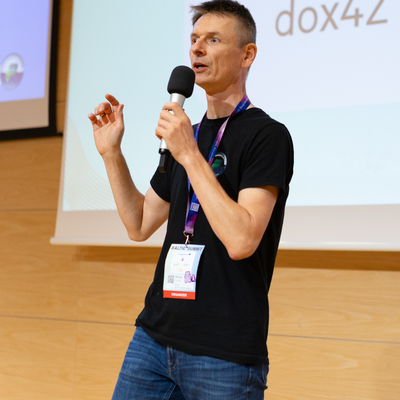
Michał Ziemba
Microsoft Solution Architect, MVP, Microsoft Regional Community Leader, Microsoft Certified Trainer (MCT)
Gdynia, Poland
Links
Please note that Sessionize is not responsible for the accuracy or validity of the data provided by speakers. If you suspect this profile to be fake or spam, please let us know.
Jump to top