
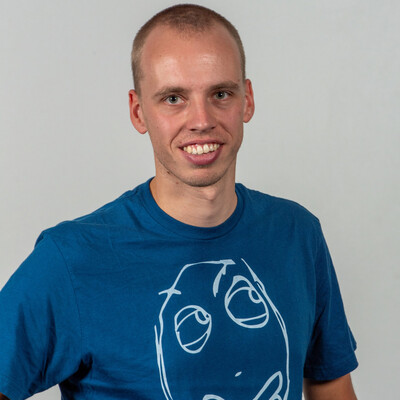
Marc Lelijveld
Architect & Technical Advocate | Data Platform MVP
Haastrecht, The Netherlands
Actions
Data Platform MVP, Microsoft Fabric advocate, public speaker, and passionate about everything that transforms data into action.
Currently working at Macaw as Architect & Technical Advocate – Microsoft Fabric, where I help organizations design modern Data & AI solutions on Microsoft technologies, with a strong focus on Microsoft Fabric. Over the years, my role has evolved from technical evangelism into a stronger advisory and architecture-focused position. Today, I combine strategic advisory, pre-sales, and solution architecture to help customers make realistic technology decisions and build scalable, future-proof platforms.
What I enjoy most? Sharing knowledge, experiences, best practices, and enthusiasm around the Microsoft data & AI space. I actively contribute to the community through conferences, user groups, customer presentations, technical sessions, end-user training, and community initiatives focused on Microsoft Fabric, Power BI, and AI.
Besides public speaking and community work, I also share insights and experiences on my personal blog: data-marc.com
Links
Badges


Area of Expertise
Topics
AI Is only as smart as your Semantic Model
We’ve all seen Copilot answers that promise magic but deliver confusion. Often that’s not an AI problem, it’s a data modeling problem. AI in Power BI is only as good as the semantic model behind it.
In this session, we’ll focus on the fundamentals that actually make AI work: preparing semantic models with clear descriptions, synonyms, and notes to add context, enrichments, and tone of voice. You’ll learn how to scope models for AI and enable verified answers. Next to applying governance and explicitly flag models as AI-ready so AI produces trusted, explainable, and useful outcomes.
Semantic Showdown: Tabular Editor vs. Semantic Link (Labs)
In the ever-evolving landscape of semantic model development and management, choosing the right tools can make all the difference.
In this session, we pit two powerful contenders against each other in a head-to-head comparison. Join us as we explore the strengths, capabilities, and unique features of each tool, showcasing how they approach semantic model creation, optimization, and maintenance. Through live demos, hands-on examples, and real-world scenarios, you'll gain insights into their advantages, limitations, and best use cases.
This session will help you determine which tool aligns better with your needs and goals. Let the showdown begin!
Understanding the Inner Workings of Power BI Visual Calculations
Power BI Visual Calculations have been around for a while, and even though the feature hasn’t reached general availability, its use cases are expanding rapidly. Visual Calculations let you define calculations directly at the visual level, reducing the need for complex DAX and enabling faster insight creation.
In this session, we will discuss concepts like:
- How Visual Calculations differ from other calculation options in Power BI
- Visual Calculation–exclusive functions
- Navigating the lattice of the visual matrix
- Example use cases
Bringing your visuals to the next level by leveraging Visual Calculations
Join us for a deep dive into the inner workings of Visual Calculations and learn how to make your Power BI reports more dynamic, powerful, and easier to maintain.
Exploring Fabric Semantic Link for Power BI folks!
If you're coming from a Power BI world, the whole Fabric thing might scare you a bit. Then suddenly, there is something called Semantic Link, which allows connections from Fabric Notebooks to read both data and meta data from your Power BI Semantic Model (dataset).
You might wonder, what's all this? How does it work and how to take benefit from it? Especially when you're not familiar yet with notebooks at all.
In this session we will explore what Semantic Link is, how you as Power BI developer/engineer can make use of it and how it will strengthen your solutions in the end. Together, we will explore various aspects like:
- Warming up your data in direct lake datasets
- Querying Dynamic Management Views,
- Reading Semantic Model meta data to generate documentation
- Extend or even forecast your data using Semantic Link
By the end of this session, you will not only grasp the basics of Semantic Link but also gain practical insights into its application so you can bring it to practice directly!
Visual Calculations: Making DAX easier
This is it. The day that the way that DAX became easier. After this, how you write DAX changes forever. Learn all about it in this session! The Power BI team has been working on exciting things related to DAX calculations, specifically targeted at making it easier to add typical business-type calculations (such as running totals or vs-first). Would you believe it if we told you that you don’t even have to type DAX anymore and still be able to get complex calculations done quickly? In this session, we will dive deep into visual calculations, covering everything there is to know about them including the lower level window functions.
Get ready to get your mind blown! See the future, today.
After this session you are an expert on visual calculations and ready to tackle any challenging calculation that comes your way!
Mastering Fabric Data Agents: From Setup to Success
Fabric data agent has been available for a while, yet many implementations fall short of expectations. Not because of the technology, but because of weak design, unclear instructions, or poorly prepared data models.
In this session, you’ll learn how to build high‑quality, trustworthy agents by applying proven design patterns around Agent Instructions, Data Source Instructions, and Verified Answers. We’ll explore how to structure semantic models for AI, route questions intelligently across Lakehouse, Warehouse, Eventhouse, and semantic models, and avoid the most common pitfalls that lead to inconsistent results.
You’ll also see how to operationalize your agents using the Data Agent SDK for automated creation, updates, and evaluations, including golden‑record testing and diagnostics. After this session, you’ll have a clear blueprint for designing reliable, secure, and well‑adopted Fabric Data Agents—from setup to scalable success.
Data & AI Builders Conference Sessionize Event Upcoming
dataMinds Connect 2026 Sessionize Event Upcoming
Data Saturday Holland 2026 Sessionize Event Upcoming
Power BI Next Step Sessionize Event
DataGrillen 2026 Sessionize Event
SQL Saturday Atlanta 2026 - AI & BI Sessionize Event
FABCON 2026 & SQLCON 2026 - SESSIONS Sessionize Event
Power BI Gebruikersdagen 2026 Sessionize Event
Fabric February 2026 Sessionize Event
Data Community Day Austria 2026 Sessionize Event
Data Saturday Parma 2025 Sessionize Event
Budapest BI Forum 2025 Sessionize Event
Techorama 2025 Netherlands Sessionize Event
Data Platform Conference Switzerland 2025 Sessionize Event
dataMinds Connect 2025 Sessionize Event
Data Saturday & Fabric Friday Holland 2025 Sessionize Event
Power BI Next Step 2025 Sessionize Event
Data Saturday Croatia 2025 Sessionize Event
Data Point Prague 2025 Sessionize Event
Microsoft Fabric Community Conference Sessionize Event
Power BI Gebruikersdag 2025 Sessionize Event
Power BI & Fabric Summit 2025 Sessionize Event
SQL Konferenz 2025 Sessionize Event
Fabric February 2025 Sessionize Event
Power Conference 2024 Sessionize Event
dataMinds Connect 2024 Sessionize Event
Data Saturday & Fabric Friday Holland 2024 Sessionize Event
SQL Konferenz 2024 Sessionize Event
European Microsoft Fabric Community Conference Sessionize Event
Power BI Next Step 2024 Sessionize Event
PBIG Avondsessies User group Sessionize Event
Data Saturday Oslo 2024 Sessionize Event
Data Saturday Rheinland 2024 Sessionize Event
Power BI Cruise 2024 Sessionize Event
Data Point Prague Sessionize Event
DataGrillen 2024 Sessionize Event
Power BI Gebruikersdag 2024 Sessionize Event
Data Saturday München 2024 Sessionize Event
Fabric February 2024 Sessionize Event
Data Community Austria Day 2024 Sessionize Event
dataMinds Connect 2023 Sessionize Event
Data Saturday Holland 2023 Sessionize Event
Power BI Next Step 2023 Sessionize Event
SQL Konferenz 2023 Sessionize Event
DATA:Scotland 2023 Sessionize Event
Data Saturday Rheinland 2023 Sessionize Event
Techorama 2023 Belgium Sessionize Event
SQLBits 2023 - General Sessions Sessionize Event
SQLBits 2023 - Full day training sessions Sessionize Event
Power BI Gebruikersdag 2023 Sessionize Event
Power BI Summit 2023 Sessionize Event
Global Power Platform Bootcamp 2023 - Belgium Edition Sessionize Event
Techorama Netherlands 2022 Sessionize Event
dataMinds Connect 2022 Sessionize Event
Power BI Next Step 2022 Sessionize Event
DATA:Scotland 2022 Sessionize Event
Dutch Power BI Usergroup - Power BI Datamarts - what is it and how do I benefit from it?
For the Dutch Power BI usergroup, I presented my all new session "Power BI Datamarts - what is it and how do I benefit from it?"
Scottish Summit 2022 Sessionize Event
DataGrillen 2022 Sessionize Event
Techorama 2022 BE Sessionize Event
Data Saturday Stockholm 2022 Sessionize Event
Power BI Gebruikersdag 2022 Sessionize Event
SQLBits 2022 Sessionize Event
Power BI Summit 2022 Sessionize Event
Power BI Fest Sessionize Event
PowerPlatform French Summit (2021) Sessionize Event
#DataWeekender v4.2 Sessionize Event
Power BI Next Step 2021 Sessionize Event
Techorama 2021 Spring Edition Sessionize Event
Power BI Summit Sessionize Event
dataMinds Saturday Sessionize Event
Virtual Scottish Summit 2021 Sessionize Event
Global Power Platform Bootcamp - 2021 Sessionize Event
Global Power Platform Bootcamp 2021 - Italy Sessionize Event
PowerPlatform French Summit (2020) Sessionize Event
#DataWeekender #TheSQL Sessionize Event
LightUp Sessionize Event
Power Saturday 2020 Sessionize Event
Power BI Gebruikersdag 2020 (CANCELLED) Sessionize Event
Scottish Summit Sessionize Event
Power Platform Bootcamp Brussels 2020 Sessionize Event
Power BI Days Belgium 2020-01 Sessionize Event
DATA:Scotland 2019 Sessionize Event
DataGrillen 2019 Sessionize Event
Power Saturday 2019 Sessionize Event
Data in Devon 2019 Sessionize Event
Power BI Days Belgium 2019-04 Sessionize Event
Power BI Gebruikersdag 2019 Sessionize Event
Power Platform Summit - Storytelling & interactive reports with Power BI Bookmarks & Drillthrough
Power Platform Summit Europe delivers the can’t-miss annual conference for users of the Microsoft Power platform – featuring education on all versions of Power BI, PowerApps, and Microsoft Flow. With credible peer-to-peer knowledge exchange at its core, this event provides focused learning and networking as users gain instrumental solutions for their everyday system challenges and larger organisational goals. In every industry and across the globe, Summit is well known as a premier user-centric experience.
Power Platform Summit - End-to-end monitoring for a successful Power BI implementation
Power Platform Summit Europe delivers the can’t-miss annual conference for users of the Microsoft Power platform – featuring education on all versions of Power BI, PowerApps, and Microsoft Flow. With credible peer-to-peer knowledge exchange at its core, this event provides focused learning and networking as users gain instrumental solutions for their everyday system challenges and larger organisational goals. In every industry and across the globe, Summit is well known as a premier user-centric experience.
Power BI Days 2019-01 Sessionize Event
Power BI World Tour
Presented at the Power BI World Tour in Copenhagen for an audience of 159 people about Storytelling and interactive reports in Power BI. I co-presented with one of the Microsoft Power BI Program managers.
Power BI Gebruikersdag Sessionize Event
Marc Lelijveld
Architect & Technical Advocate | Data Platform MVP
Haastrecht, The Netherlands
Links
Actions
Please note that Sessionize is not responsible for the accuracy or validity of the data provided by speakers. If you suspect this profile to be fake or spam, please let us know.
Jump to top