
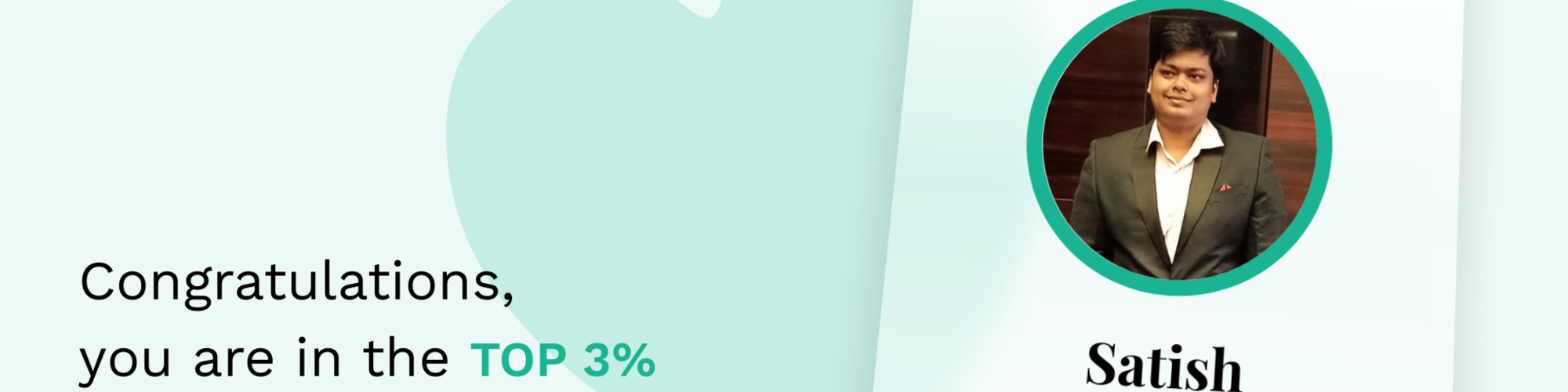

Satish Upadhyaya
Satish Upadhyaya | Microsoft Workplace Transformation Consultant - Managed Services for Microsoft 365
Toronto, Canada
Actions
I am a Chief Level Microsoft 365 Architect and recognized Microsoft MVP for Teams and Microsoft 365 Copilot, bringing 12+ years of leadership in architecting, securing, and deploying complex Microsoft 365 solutions for Federal, State, and Local Government agencies and large Enterprise Customers. My core mandate is solving technically intricate Microsoft requirements involving compliance and cross-platform integration.
My expertise spans the entire solution lifecycle, from rigorous presales TCO analysis and high-assurance security design to global deployment and measurable user adoption. I specialize in environments requiring stringent security and compliance postures (e.g., GCC, GCC High, DoD requirements).
Core Technical & Domain Leadership:
• Advanced UC Architecture: Expertise in solving complex PSTN requirements globally, utilizing Operator Connect, Direct Routing (SBC/SIP trunk configuration, media bypass), and migration strategies from legacy voice platforms. I specialize in integrating Zoom and Cisco Experience (CUCM, Webex) environments with Teams via CVI and interop gateways.
• AI and Custom Development: Leading the technical implementation of Generative AI productivity tools. This includes leveraging Copilot Studio for low-code/no-code custom bot creation, sophisticated data connection configuration, and architecting the secure deployment of Copilot Chat across restricted tenants.
• Compliance & Telecom Expertise: Deep-dive technical knowledge of global telecom regulations, including E.164 normalization, emergency calling (E911/NextGen 911), and Lawful Intercept requirements. This expertise ensures technical compliance and de-risks deployment across diverse regulatory jurisdictions for both government and enterprise clients.
• M365 Security & Governance: Architecting security and compliance baselines using Purview, Entra ID (conditional access, MFA), and Defender to meet specific governmental and highly regulated industry standards while maintaining user productivity.
I serve as a high-impact technical leader, driving innovation, securing mission-critical communications, and translating complex architectural diagrams into successful, compliant business outcomes for the world's most demanding organizations.
Links
Badges


Area of Expertise
Topics
Building Your First Copilot Agent with Microsoft Copilot Studio
AI-powered agents are quickly becoming an important part of modern workplace productivity. In this lightning session, we will explore how to build your first AI agent using Microsoft Copilot Studio and how it can integrate with everyday collaboration tools like Microsoft Teams and Microsoft 365 Copilot.
The session will include a quick walkthrough demonstrating how to create a simple Copilot Agent, connect it to knowledge sources, and make it available for users to interact with. Attendees will see how agents can answer questions, automate common tasks, and surface information from approved organizational data.
This session is ideal for IT professionals, Microsoft 365 administrators, developers, and business technologists interested in building practical AI solutions.
Key takeaways:
Understanding what Copilot Agents are and when to use them
Steps to build and publish a simple agent
Connecting knowledge sources securely
Practical scenarios for using agents in everyday collaboration.
5 Ways Microsoft 365 Copilot Transforms Meetings in Microsoft Teams
Meetings generate valuable insights, but capturing decisions and actions can often be challenging. In this lightning session, we will explore how Microsoft 365 Copilot enhances meeting productivity within Microsoft Teams.
The session will demonstrate five practical capabilities: automatic meeting recaps, action item extraction, real-time meeting summaries, the ability to catch up instantly when joining late, and generating post-meeting follow-up emails. Through quick demos, attendees will see how Copilot helps teams focus on conversations rather than note-taking.
This session is ideal for IT professionals, business leaders, Microsoft 365 administrators, and collaboration specialists who want to understand how AI can improve meeting effectiveness and team productivity.
Key takeaways include:
1. How Copilot summarizes and captures meeting outcomes automatically
2. Ways to reduce manual note-taking and missed action items
3. Practical scenarios to use Copilot during and after meetings
4. Tips to help teams adopt AI-assisted collaboration more effectively
Microsoft Teams Phone Blueprint: From Design to Go Live
As organizations modernize their communications platforms, Microsoft Teams Phone has emerged as a powerful cloud based voice solution capable of replacing traditional PBX systems. However, successful adoption requires more than enabling licenses it demands thoughtful architecture, careful network planning, carrier integration, governance, and operational readiness.
This full day workshop provides a comprehensive, end to end understanding of Microsoft Teams Phone and enterprise voice solutions, guiding participants through the complete lifecycle from solution design and connectivity selection to deployment, migration, and ongoing operations.
Participants will gain practical insight into calling models, PSTN connectivity options, voice architecture, emergency calling, migration strategies, and operational best practices, enabling them to design and deploy reliable, secure, and scalable Teams Phone environments.
Learning Objectives
By the end of this workshop, participants will be able to:
1. Understand the core architecture of Microsoft Teams Phone
2. Evaluate and design the appropriate PSTN connectivity model (Calling Plans, Operator Connect, Direct Routing)
3. Plan network and media flows for high quality voice experiences
4. Design and deploy enterprise voice features and policies
5. Implement emergency calling and location services
6. Plan and execute voice migrations from legacy PBX systems
7. Establish operational and support models for Teams Phone
Microsoft 365 Copilot & Agent 365 Architecture Workshop
Microsoft 365 Copilot and Agent 365 are redefining how employees interact with information, automate work, and collaborate directly inside Microsoft Teams. However, realizing real business value from AI requires more than turning features on. It demands data readiness, governance, clear use cases, and hands on experience building intelligent assistants safely and responsibly.
This full day, instructor led workshop is designed to take participants from AI readiness and Copilot foundations to building their first AI assistant (agent) for Microsoft Teams.
Attendees will learn how Copilot works across Microsoft 365, how agents extend Copilot capabilities, and how to design, build, and govern AI assistants that enhance productivity while respecting security, compliance, and data boundaries.
The workshop blends architecture concepts, governance guidance, and guided hands on exercises, ensuring participants leave with both understanding and practical skills.
Learning Objectives
By the end of this workshop, participants will be able to:-
1. Understand how Microsoft 365 Copilot and Agent 365 work within Microsoft Teams
2. Assess organizational readiness for AI and Copilot adoption
3. Identify high value use cases for Copilot and AI agents
4. Apply governance and security principles to AI solutions
5. Design effective prompts and grounding strategies
6. Build and publish a basic AI assistant (agent) for Microsoft Teams
7. Manage and operate Copilot and agents responsibly at scale
Architecting Microsoft Teams for Scale, Security, and Governance
Microsoft Teams has become the backbone of modern collaboration, voice, meetings, and enterprise integration but without a clear architectural strategy and governance framework, organizations face sprawl, security risks, performance issues, and inconsistent user experiences.
This workshop provides a comprehensive, end to end view of Microsoft Teams architecture and governance, covering the technical foundations, identity and security models, network and voice architecture, lifecycle management, and operational governance required for a scalable, compliant, and well managed Teams environment.
Designed for IT leaders, architects, and administrators, the workshop combines conceptual architecture, real world design patterns, governance best practices, and operational guidance to help organizations design, deploy, and manage Microsoft Teams with confidence.
Learning Objectives:
By the end of this workshop, participants will be able to:
1. Understand the end to end Microsoft Teams service architecture
2. Design Teams deployments aligned with identity, security, and compliance requirements
3. Architect network and voice solutions that support performance, reliability, and scale
4. Implement governance controls for Teams, channels, apps, and lifecycle management
5. Align Teams governance with organizational policies, regulatory requirements, and adoption goals
6. Establish operational models for monitoring, change management, and ongoing optimization
From Pilot to Scale: What Enterprise Customers Learn After Deploying Microsoft 365 Copilot
Many organizations launch Microsoft 365 Copilot with a successful pilot only to struggle when they attempt to scale it across the enterprise. The challenge isn’t Copilot itself; it’s everything Copilot exposes: overshared content, unclear governance boundaries, uneven readiness, and adoption that outpaces controls.
In this session, we’ll share lessons learned from real enterprise Copilot deployments, focusing on what customers consistently discover after the pilot phase. We’ll start with why Copilot outcomes are tightly coupled to your existing Microsoft 365 permissions and information architecture, and how oversharing quickly becomes visible once users start prompting across documents, emails, chats, and sites. We’ll walk through the practical approach enterprises take to address this gaining visibility into overshared content, fixing excessive permissions, and selectively restricting Copilot access to sensitive information where required.
From there, we’ll explore how organizations transition from “Copilot enabled” to Copilot governed. This includes setting guardrails using Microsoft 365 security and compliance controls, monitoring Copilot interactions for risk signals, and understanding how audit and investigation concepts apply to Copilot usage and AI generated content.
Finally, we’ll look at what changes when organizations scale: managing who can access Copilot and agents, introducing lifecycle thinking for agents, and using usage and impact signals to guide expansion decisions rather than gut feel. The goal is to move from a successful pilot to a repeatable, defensible, and scalable Copilot program without slowing innovation
Architecting Microsoft Teams for Scale, Security, and Governance
Microsoft Teams has become the backbone of modern collaboration, voice, meetings, and enterprise integration but without a clear architectural strategy and governance framework, organizations face sprawl, security risks, performance issues, and inconsistent user experiences.
This workshop provides a comprehensive, end to end view of Microsoft Teams architecture and governance, covering the technical foundations, identity and security models, network and voice architecture, lifecycle management, and operational governance required for a scalable, compliant, and well managed Teams environment.
Designed for IT leaders, architects, and administrators, the workshop combines conceptual architecture, real world design patterns, governance best practices, and operational guidance to help organizations design, deploy, and manage Microsoft Teams with confidence.
Learning Objectives:
By the end of this workshop, participants will be able to:
1. Understand the end to end Microsoft Teams service architecture
2. Design Teams deployments aligned with identity, security, and compliance requirements
3. Architect network and voice solutions that support performance, reliability, and scale
4. Implement governance controls for Teams, channels, apps, and lifecycle management
5. Align Teams governance with organizational policies, regulatory requirements, and adoption goals
6. Establish operational models for monitoring, change management, and ongoing optimization
AI Readiness & Governance in Microsoft 365
As organizations accelerate AI adoption through Microsoft 365 Copilot and generative AI capabilities, success depends not only on licensing and enablement but on data readiness, security posture, and strong governance foundations.
This session explores what it truly means to be AI ready in Microsoft 365, focusing on the intersection of data, identity, security, compliance, and governance. Attendees will learn how Copilot interacts with organizational data, why oversharing and poor information architecture can introduce risk, and how to establish governance guardrails that enable innovation while protecting sensitive information.
The session covers practical considerations for preparing Microsoft 365 environments for AI, including data access controls, sensitivity labels, retention policies, and monitoring, as well as governance models for Copilot usage and extensibility. Participants will leave with a clear understanding of how to deploy AI responsibly, securely, and at scale across Microsoft 365.
What You’ll Learn
1. What AI readiness means in the context of Microsoft 365 and Copilot
2. How Microsoft 365 Copilot uses organizational data and permissions
3. Common risks related to data oversharing and unmanaged access
4. Governance principles for secure and compliant AI adoption
5. The role of Microsoft Purview, identity, and policy controls in AI governance
6. How to align AI enablement with organizational risk, compliance, and business goals
AI That Acts: A Deep Dive into the autonomous capabilities of M365 Copilot Agents
This deep-dive session will showcase a constellation of Microsoft-built agents, demonstrating how they leverage deep reasoning and enterprise knowledge to transform daily productivity from reactive assistance to proactive automation. You will see live demonstrations of agents operating across the M365 ecosystem.
Key Agents Covered:
Teams Channel Agent: Acts as a dedicated project team member in a Teams channel. It automatically drafts AI-generated status reports, manages project tasks, and uses channel conversations and meeting transcripts to become a domain expert for the team, answering questions autonomously.
Viva Community Agent: Embedded in Viva Engage communities, this agent proactively drafts accurate, data-driven responses to common questions, connecting colleagues to the right internal information and ensuring quick and consistent communication across the organization.
Researcher Agent: A deep reasoning model that performs multi-step analysis across organizational documents and web data. It is capable of autonomously summarizing complex topics, compiling comprehensive reports, and ensuring all findings are grounded and cited.
Analyst Agent: Your virtual data scientist. Integrated with a secure Python execution environment, it autonomously identifies trends, generates advanced insights from complex datasets (like Excel), and visualizes findings without manual formula creation or explicit guidance.
Facilitator Agent: A shared assistant in Teams meetings that runs independently to keep meetings on track by managing the agenda, generating real-time notes, assigning follow-up tasks, and automatically capturing key decisions.
Interpreter Agent: Provides real-time voice translation during Teams meetings, replicating tone and voice to enable seamless, inclusive collaboration across multilingual teams.
Attendees will leave the session with practical knowledge and a strategic understanding of how to implement and leverage these new AI capabilities.
1. Differentiate between standard Copilot and Autonomous
2. Agents
3. Identify High-Value Use Cases
4. Harness Agent Capabilities in Core M365 Apps
5. Understand Knowledge Grounding and Security
6. Strategize Agent Deployment
Elevating Productivity with Teams AI Tools
Artificial Intelligence is transforming the way organizations collaborate, communicate, and get work done. Join us for an in-depth session on how to dramatically increase productivity using the latest AI capabilities in Microsoft Teams.
This session will provide a comprehensive walkthrough of the newest AI-powered features, including:
🔹 Facilitator Agent
Learn how the Facilitator Agent streamlines collaboration by assisting with task tracking, decision summarization, and meeting coordination—ensuring teams stay aligned and productive.
🔹 Interpreter Agent
See how the Interpreter Agent enables seamless multilingual collaboration through real-time translation, transcription, and communication assistance, breaking language barriers across global teams.
🔹 Audio Recap
Discover how Audio Recap automatically generates intelligent, searchable summaries of audio interactions—helping you catch up quickly on missed calls and conversations.
🔹 Copilot in Teams Calls
Explore how Copilot enhances your call experience with real-time insights, note-taking, action item extraction, and contextual assistance during 1:1 and group calls.
🔹 Copilot in Teams Meetings
Experience the power of Copilot during meetings—from agenda building and content generation to post-meeting summaries, decisions, and follow-ups.
🎥 Live Demo + Admin Controls
We’ll also provide a live demonstration of all these features and walk through the Teams Admin Center controls, showing you how admins can enable, manage, and optimize AI features for their organization.
🎯 Key Takeaways
Understand how AI enhances collaboration and communication in Teams
Learn practical use cases to increase daily productivity
Gain visibility into crucial admin governance and configuration options
See real-world demos of Microsoft’s latest AI innovations in Teams
Meet Your AI Teammates: Harnessing Microsoft Copilot & Copilot Agents to Redefine Work
AI is no longer just a feature—it’s your teammate. This session dives deep into Microsoft Copilot and the emerging power of Copilot Agents. Learn how they’re evolving from assistants to proactive contributors, capable of reasoning, orchestrating tasks, and acting across Microsoft 365 and beyond. Discover how to design intelligent agents that handle real workflows, enhance decision-making, and elevate productivity.
Key Takeaways:
- Understand the difference between Copilot and Copilot Agents.
- Explore real-world use cases where Copilot Agents automate business tasks end-to-end.
- Learn how to build and customize agents using Copilot Studio.
- Discover how AI-driven collaboration reshapes how teams plan, execute, and deliver work.
- Get Copilot-ready: prerequisites, best practices, and governance tips.
Ideal for IT leaders, developers, and decision-makers looking to bring AI into the core of their operations.
The Cloud & AI Summit 2026 Sessionize Event
M365 Community Days DC 2026 Sessionize Event
2026 Knoxville Microsoft Community Day Sessionize Event
Festive Tech Calendar 2025 Sessionize Event
AI Community Conference - Toronto, 2025 Sessionize Event
MS Community Days Monterrey 2025 Sessionize Event
Canadian Cloud Summit 2025 Sessionize Event
Modern Workplace Conference Paris 2025 Sessionize Event
M365 Toronto 2025 Sessionize Event
Knoxville Microsoft 365 Community Day Sessionize Event
TeamsCommunityDay 2025 Sessionize Event
CollabCon 2024 Sessionize Event
Festive Tech Calendar 2024 Sessionize Event
San Diego Microsoft 365 Productivity Group User group Sessionize Event
Low Code/ No Code Power Platform Conference Sessionize Event
Manchester365 Microsoft Cloud Engineering Summit Sessionize Event
Microsoft Community Days Monterrey 2024 Sessionize Event
M365 Community Days NYC Sessionize Event
M365 Community Days Chicago 2024 Sessionize Event
AI Community Conference - Toronto, 2024 Sessionize Event
M365 Community Days MTL 2024 Sessionize Event
CommsVNext 2024
Unlock the Power of Shared Calling: Boost Efficiency and Simplify Phone Management in Teams
Community Days NJ Sessionize Event
Knoxville M365 Community Day - Spring 2024 Sessionize Event
YYCM365UG Microsoft 365 Community Days Sessionize Event
Teams Nation 2024 Sessionize Event
M365 Saturday DC - A Community Day Event Sessionize Event
CollabDays Bremen 2024
Empowering Your Organization with Microsoft Teams Premium: A Comprehensive Overview, Features, and Enterprise Demo
TeamsCommunityDay 2024 Sessionize Event
Microsoft Community Days Mexico City 2023 Sessionize Event
CollabDays New England 2023
How Microsoft Open AI Integration in Teams Premium is revolutionizing the way we meet
Microsoft 365 Ottawa Event 2023 Sessionize Event
Microsoft AI Day (Toronto) Sessionize Event
International Teams Summit - June 13th-14th 2023 Sessionize Event
Get-CsLatam Conference 2023 Sessionize Event
Comms vNext 2023 Sessionize Event
CommsVNext 2023
How to be compliant with E911 Services with Kari's Law and Ray Baum's Act
Teams10X - April 12 - 13, 2023 Sessionize Event
Microsoft 365 Discovery Series 2023 Sessionize Event
Viva Explorers Community Day Toronto 2022 #m365to Sessionize Event
Microsoft 365 Live 2022 Sessionize Event
M365 Chicago - A Salute to Services! Sessionize Event
Microsoft Community Days Mexico City 2022 Sessionize Event
CollabDays New England - Microsoft 365 - 2022 Sessionize Event
Teams10X - Sep 28-29, 2022 Sessionize Event
aMS Kinshasa 2022-08-20 Sessionize Event
Microsoft Cloud Events Monterrey 2022 Sessionize Event
aMS Delhi - 25/06/2022 Sessionize Event
aMS Pune - 18/06/2022 Sessionize Event
Microsoft 365 Virtual Marathon 2022 Sessionize Event
Teams Nation 2022 Sessionize Event
Satish Upadhyaya
Satish Upadhyaya | Microsoft Workplace Transformation Consultant - Managed Services for Microsoft 365
Toronto, Canada
Links
Actions
Please note that Sessionize is not responsible for the accuracy or validity of the data provided by speakers. If you suspect this profile to be fake or spam, please let us know.
Jump to top