
Sebastian Sieber
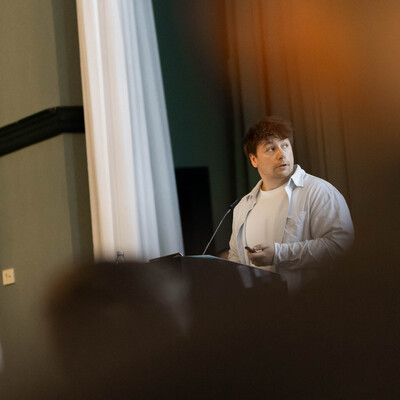
3x Microsoft MVP | Global Director Technology at proMX AG | Microsoft Dynamics 365 Project Operations Specialist | Speaker, Blogger, AI Enthusiast and Power Platform Advocate
Sulzbach-Rosenberg, Germany
Actions
For the past decade, Sebastian has been a member of the ISV Solutions team at proMX AG. During this time, proMX’s project and resource management tool, proRM Fast Start, has won numerous awards. Sebastian was one of proMX’s liaisons to Microsoft’s Dynamics 365 Project Operations development team, thus gaining exceptionally thorough knowledge of the product almost since its first release. He has proven his Power Platform expertise in several successful implementation projects for proMX's international customers.
In addition to his technical leadership, Sebastian now also orchestrates proMX’s AI and Innovation investments, identifying cutting-edge technologies and turning them into real-world solutions for business impact. His unique blend of hands-on product experience and strategic foresight makes him a preferred speaker at industry events.
Badges

Area of Expertise
Topics
Project Operations: From Zero to Hero
Dynamics 365 Project Operations is one of the most sorely misunderstood Business Applications available today and also one that is often thought to be hugely complex. Business users, consultants and technical decision-makers often fail to grasp that the application can be deployed within Dataverse only and that there are multiple extensibility options at our feet, thanks in part to the multitude of capabilities present within the Power Platform. Whether you are an organisation managing multiple internal or external projects or even a Microsoft partner looking to leverage the offerings you promote to your customers thoroughly, Project Operations can fit nicely within many scenarios.
We will guide you through the steps involved in a typical implementation, from basic process overview to resourcing and pricing configuration to implementing some automation and additional capability involving the Power Platform.
Attend to become the next Project Operations superstar!
Level Up Your Agents: Using MCPs and Dataverse to build proactive Agents
Most Agents today are just glorified search engines - they read documents and summarize text. But the future is Agentic: AI that can perceive, reason, and act to get work done without human hand-holding.
In this demo-heavy session, we will push Copilot Studio to its limits by building an autonomous Project Manager agent, diving into various Tools, MCPs, and advanced Features.
We don't want to just chat with it. We want to expand it to monitor Dataverse in the background, detect slipping project timelines, and autonomously reach out to team members via Teams to demand updates.
It's A Vibe - Is It?
What if building your next Power App won’t start with controls, tables, and connectors, but with a plain-language description of the outcome you want?
Power Platform is moving from “low-code configuration” to agent-first creation: you describe the problem, and the platform helps to generate the plan, the data model, and the app experience.
Embedded in the governance and structure you already value today.
In this session, we’ll unpack what “vibe coding” means in practice across the Power Platform: when to use the new vibe experience vs. pro-dev workflows, how “plans + agents” change solution design, and what the platform is doing to make this enterprise-grade (governance, ALM, and human-in-the-loop collaboration patterns like agent feeds).
You’ll leave knowing what to prompt, what to standardize, what to keep out of production - for now, and how to turn “vibes” into repeatable delivery on the Power Platform.
Hire Your First AI Employee: Build a production ready Agent in Copilot Studio
Let us ditch the theory and start shipping. In this session, we are banning PowerPoint to build a fully functional Autonomous Agent from scratch, live on stage.
We won’t just build a "Hey, Las Vegas is a nice place for Vacation and the weather is 72 degrees, sunny" bot. We are diving into the engine room of Microsoft Copilot Studio to construct a "Project Health Guardian" - an agent that proactively queries Dataverse, identifies stalled projects, and chases stakeholders for the updates we need.
Empowering Teams with Autonomous Agents
Dive into the world of autonomous agents within Microsoft 365 and discover how these intelligent tools can transform your team's productivity.
From handling mundane tasks to managing complex business processes, learn how to leverage and create custom agents tailored to your organization's needs. All based on the most important asset - the knowledge inside your organization.
Come and join us on the new journey into a new area of intelligent applications.
The Microsoft MVP Program: Insights from MVPs and Microsoft Experts
Interested in the Microsoft Most Valuable Professional (MVP) program and want to learn more about it? Join us for a panel discussion featuring experienced MVPs and the people at Microsoft who run the program as they share their insights.
In this session, you'll hear about the criteria for becoming an MVP, the benefits and responsibilities of being an MVP, and how the program helps to build connections between Microsoft and its community of users and experts.
The panelists will share their experiences as MVPs and offer tips and best practices for anyone hoping to become an MVP.
Whether you're an aspiring MVP or simply curious about the programme, this panel discussion will provide valuable insights and perspectives on the MVP program and its role in the Microsoft community. Don't miss out on this informative session – join us and get a glimpse into the world of Microsoft MVPs!
Dear Copilot, Please Do The Thing - Mastering The Art Of Orchestration
Let's face it - AI doesn't read our minds (yet). But what it can do, it does follow instructions. Pretty well even. If you know how to talk to it.
Or should I say: how you instruct and orchestrate it to do so.
We'll dive into the magical world of telling Copilot, your parent and child agents exactly what you want and how to orchestrate multi-agent scenarios without sounding like a robot yourself.
Learn how to charm your agent with just the right words, handy commands, and helpful tricks to reach your implementation goals.
Agent Builder vs Copilot Studio: Choosing the Right Tool for AI Agents
There are multiple ways to build AI agents on Microsoft’s platform, but most organisations begin with the low-code options: Agent Builder in Microsoft 365 Copilot and Copilot Studio. The challenge is knowing which one to use, and when.
In this session, we'll take you through a practical, hands-on comparison of Agent Builder and Copilot Studio. Using live demos and real-world examples, we’ll show what each tool is designed for, where their strengths lie, and where they start to fall short as requirements become more complex.
We’ll also cover how to improve your prompts and design better agents, how to deploy agents across different channels, and what your options are when you need to go beyond the low-code experience using tools like Microsoft Foundry.
Whether you are new to AI agents or looking to enhance your skills, you’ll leave the session with a clear way to choose between Agent Builder and Copilot Studio, and a better understanding of how to design agents that scale as your needs grow.
Project Operations - A Modern Project Management Solution
Do you want to learn how to run your project-centric business more efficiently and effectively? Do you want to discover the latest features and benefits of Microsoft Dynamics 365 Project Operations? Do you want to see how Project Operations can help you solve common project management challenges and improve your business outcomes? If you answered yes to any of these questions, then this session is for you!
In this session, you will:
- Get an overview of Project Operations and how it integrates with other Dynamics 365 apps and Microsoft Power Platform.
- Explore the key capabilities of Project Operations, such as estimating and tracking projects, collaborating across the project lifecycle, optimizing resource utilization, simplifying time and expense management, and maximizing profitability with streamlined project financials.
- See Project Operations in action with a live demo and real-world scenarios.
- Learn how to get started with Project Operations and access resources and support.
Join us for this engaging and entertaining session and find out how Project Operations can transform your business. 🚀
Better Together: Field Service and Project Operations
Field Service and Project Operations used to live in separate worlds: one running the work, the other tracking the money. That gap meant delayed insights, manual fixes, and zero real-time control over margins. With the new unified financial model in Dynamics 365, that changes.
Work orders, labour, and materials now flow straight into project financials. One system, one view, no reconciliation overhead.
In this session, we'll see how “better together” actually looks in practice. You’ll see how linking work orders to projects turns fragmented service delivery into a connected, end-to-end lifecycle - from dispatch to invoicing.
We’ll focus on real scenarios where this matters: long-running service engagements, complex installations, and outcome-based contracts where margins are won or lost in execution.
You’ll walk away with:
- A clear understanding of how the integration works
- Where the unified financial model actually changes the game
- How to get real-time visibility on cost, revenue, and margins
- What to avoid when implementing
- How to structure service-driven projects that scale
If you’re still reconciling service and finance after the fact, this session will show you why that’s a problem, and how to fix it.
10 Things I wished I knew before rolling out AI Agents
Microsoft 365 Copilot and AI Agents offer easy-to-access benefits for employees daily tasks and all the CxO's of the world want to leverage these tools as soon as possible. Whether you’re planning a rollout for clients or internally within your organization, this session will equip you with 10 essential tips, tricks, and best practices from our implementations.
We’ll cover critical considerations such as necessary settings, licensing requirements, potential pitfalls, and access management. Join us to gain comprehensive insights and ensure a seamless and successful Copilot implementation, enhancing productivity and efficiency across your organization.
Agent Architecture in Microsoft Copilot Studio: Why you are building your Agents wrong
Your created agents in Copilot Studio work. They provide AI-generated answers to the users. It's agentic and you're a frontier customer! But do they scale? And is this really agentic?
Learn how to maintain and scale your agents by making the right architectural decisions early in the process to avoid hours of review and bugfixing once your agent is exposed to a larger, more demanding user group.
In this session, we leave all the common mistakes aside and show you how good agent design actually looks like.
You'll learn how to write instructions that are clear, scoped, and actionable. Not vague prompts that leave your agent guessing.
We'll explore how child agents can decompose complexity into manageable, reusable units, and why a well-crafted description is more than just documentation - it is the engine behind agentic behavior.
Walk away with a practical blueprint for building agents that are not just functional, but robust, composable, and ready for the real world.
Agent Builder vs Copilot Studio: Choosing the Right Tool for AI Agents
Microsoft has a long tradition of renaming products, and AI agents are no exception. What was briefly known as Copilot Studio Lite is now Agent Builder in Microsoft 365 Copilot, sitting alongside the full Copilot Studio experience. But what are the real differences, and how do you decide which one to use?
In this session, Sebastian Sieber and Andrew Bibby will take you through a practical, hands-on comparison of Agent Builder and Copilot Studio. Using real-world examples and live demos, we’ll show what each tool is designed for, where their strengths lie, and where the limitations start to appear when requirements grow.
Get ready for a jam-packed session filled with demos, expert tips, best practices for writing effective prompts, and guidance on deploying agents across different channels. We will also touch on the developer options available for building agents that go beyond Copilot Studio using tools like Microsoft Foundry.
Whether you are new to AI agents or looking to enhance your skills, you'll clearly understand when to use Agent Builder, when to advance to Copilot Studio, and how to create AI agents that add value.
Breaking out of Planner: D365 Project Operations unlocked
Think Project Operations is just another Project Planning tool? Think again. Dynamics 365 Project Operations is a full-fledged, enterprise-grade solution that goes far beyond simple task lists.
Cut through the confusion and dive into the latest and greatest features. Let me explain to you the business value behind Microsoft's cutting-edge cost management tool, and learn why you shouldn't sleep on Dynamics 365 Project Operations.
We’ll demo today’s must-know features, reveal the roadmap’s game-changers, and show you exactly why Project Operations deserves a spot in your toolbox. Walk away knowing how to replace siloed planning tools with a unified platform that transforms project delivery.
Your Takeaways:
- Beyond Tasks: Learn more about the product and what else it offers to you
- Value Unlocked: Real-world scenarios, how Project Operations enhances business processes
- Roadmap Preview: Sneak peek at upcoming features
- Quick Start Guide: Tips for seamless rollout for your organization and customer projects
Copilot Studio‘s Bigger Brother - Make an AI tooling decision today
Agent Builder. Copilot Studio. Microsoft Foundry. Three tools. One mission. And if you've ever stared at that list wondering which one you're actually supposed to use, you're not alone.
Microsoft has been clear about the destination: Agents are the future of business processes. But the path to get there? That part can feel anything but clear. Which tool fits your scenario? Where does one end and another begin? What happens when you pick the wrong one six weeks into a project? These are the questions that keep architects, developers, and decision-makers up at night, and they're exactly what this session is here to answer
We’ll cut through the marketing and get into the detail that actually matters 🤓 Let’s start by building a shared mental model: mapping out what each tool is genuinely designed for, whom it's built for, and where its boundaries sit. From there, we'll move into the signals you need to look out for before you commit to a path: the right questions to ask, the red flags to spot early, and the architecture patterns that hold up in production.
Not in theory, but grounded in the real decisions teams are making today.
And because nothing lands quite like seeing it in action, we'll close out with a comprehensive live demo across both Copilot Studio and Microsoft Foundry. Same business scenario. Different tools. Real trade-offs, visible on screen. You'll see where each approach shines, where it stretches, and what that means for your next agent project.
Whether you're just starting to explore the agentic space, already deep in a Copilot Studio build, or wondering if Foundry is the missing piece for your more complex requirements. Leave with a clear, confident picture of the tooling Microsoft offers today, and a practical framework for making the right call on your next implementation
Key Takeaways
* Understand the core differences between Agent Builder, Copilot Studio and Microsoft Foundry: for whom each tool is built, what it's optimised for, and where its limits are.
* Learn the key architecture signals and decision criteria that should guide your tool selection before you start building, so you're not course-correcting mid-project.
* See both Copilot Studio and Microsoft Foundry in action through a live demo, with the same scenario run through each tool to make the trade-offs tangible and real.
Do Agents transform our Business Processes?
Are Agents Microsoft’s “one more thing” of AI? Can they help already to transform your work life for the better? And what is the vision of all of it?
Come in and join MVP Sebastian Sieber and MCT Bülent Altinsoy for an interactive session that will ground your understanding of Copilot Agents. Discover the latest Microsoft announcements and unravel the mysteries behind intelligent applications and Agents.
This session will provide you with all the required answers, the latest insights, and practical knowledge to determine how agents can enhance your work life today.
Expect real-life examples, live demos, and plenty of opportunities to get your questions answered.
Key Takeaways:
* A comprehensive understanding of Microsoft Agents.
* Practical insights from real-life examples and use cases.
* The know-how to create and implement your own Agent.
Learn A New Skill You Already Know - Business Skills in Agents
What if teaching an AI agent to handle a task requires nothing more than writing down how you already do it?
AI is shifting enterprise software from configuring tools and writing code to simply describing what to expect.
But the same question applies here too: how does an AI know your processes, your rules, your business?
The answer is the concept of Skills. And the code language you need to write them in is one you already know. I promise you, and let me prove that.
In this session, we will explore what that means in practice on the Microsoft Power Platform ecosystem.
How you can leverage Skills for your custom agents and code-first implementation.
You'll leave knowing how to write skills that agents can actually use, and why describing work clearly is becoming one of the most valuable capabilities in the agentic era.
The Un-Agentic Workshop: Implementing a Solid Foundation for Agentic AI
It’s time to take a step back. It’s time to look at solid foundations, instead of chasing the latest technology trends in a mad rush. And yes, it’s finally time to stop talking about one thing first - “Age…” - ah, nearly slipped up there 😉
In this workshop, That Thing That Must Not Be Named is important. But we need to answer some other questions first. How can we best succeed with adopting this technology, in a scalable and effective way? What do we need to do first in our tenants to prevent an explosion of yet more discarded IT assets? And how can we tie together the various Microsoft cloud technologies to realise this?
This workshop is ideal if you’ve moved beyond the hype, and need practical insights and tips on how to rollout That Thing That Must Not Be Named into your organisation. Ideal for both architects and tenant administrators alike, our workshop will breakdown all of the important Power Platform, Microsoft 365, Microsoft Purview, Agent 365 and additional capabilities, and give you blueprint that you will build out during the day that will:
* Implement healthy Application Lifecyle Management (ALM)
* Protect your organisational data
* Provide a detailed overview of everything created in your environments and tenants
* Allow you to proactively detect problematic usage patterns
* Collect all of the key information points into a unified solution for reporting and analytics
By the end of the day, through a mixture of theory, demos and hands-on labs, you can take this blueprint and apply it within your own environment, so that you can confidently grasp the opportunity on offer to modernise, automate and transform your processes.
Come prepared to cut through the marketing fluff, to push your skills to the next level and to have some fun with our generative AI “swear jar”, as both presenters and attendees try to avoid saying that word and raise some money in the process for a worthwhile cause.
What Does Copilot Know About Me and My Data? Tackling Governance, Licensing, and Unpopular Truths
Join our interactive session to uncover what data Copilot can access and how to control it. Learn the essential steps to prepare your organization for AI assistance, addressing key governance and security challenges.
We’ll demystify the considerations your governance and security boards must address when adopting AI. Topics include licensing details, how your data is handled, potential hidden costs, and how to avoid common implementation pitfalls. By the end, you’ll be equipped to ensure your end users leverage your AI investment effectively.
Delivered by community hero Cole Haddock and MVP Sebastian Sieber, this session cuts through the marketing gloss to answer the tough questions no one else wants to tackle.
First Steps in Microsoft Copilot Studio - Let's build your first Copilot
Beginn your journey with Microsoft Copilot Studio - the new low-code conversational AI solution that allows you to extend Microsoft Copilot and build your own copilot for your specific needs.
In this session, you will learn how to use Copilot Studio to design, test, and publish a copilot that can answer questions based on your business data and processes. You will also see how to make your copilot interactive and engaging with custom GPTs, generative AI plugins, and manual topics. Whether you want to customize Copilot for Microsoft 365 or create a standalone copilot, Copilot Studio can help you achieve your goals.
Power Conference 2026 Sessionize Event Upcoming
Scottish Summit 2026 Sessionize Event
AI horizons 2026 Sessionize Event
Nordic Summit 2026 Sessionize Event
Shift+Enter Summit 2026 Sessionize Event
Copilotverse Global User Group User group Sessionize Event
AI & Copilot Summit 09. - 10 . Juni 2026 Sessionize Event
M365 Summit 28. - 30. April 2026 Sessionize Event
ColorCloud Hamburg 2026 Sessionize Event
DynamicsCon Regional: Pacific Northwest 2026 Sessionize Event
Global Power Platform Bootcamp Germany Sessionize Event
Cloud Tech Tallinn 2026 Sessionize Event
European M365 Summit 24.-25. Juni 2025 Sessionize Event
European Power Platform Conference (EPPC25) Sessionize Event
DynamicsCon 2025 Sessionize Event
AI Agent & Copilot Summit Sessionize Event
Global Dynamics 365 Bootcamp Sessionize Event
Microsoft AI Day 2024 Sessionize Event
Dynamics 365 Summit 2024 Sessionize Event
ColorCloud Hamburg 2024 Sessionize Event
Dynamics 365 CX Summit 2023 Belgium Sessionize Event
Scottish Summit 2022 Sessionize Event
Virtual Scottish Summit 2021 Sessionize Event
Please note that Sessionize is not responsible for the accuracy or validity of the data provided by speakers. If you suspect this profile to be fake or spam, please let us know.
Jump to top