
Nicky De Westelinck
Modern Workplace Consultant | Microsoft Certified Trainer
Zonhoven, Belgium
Actions
Modern workplace consultant focused on Microsoft Intune, Microsoft Entra ID, and Microsoft Security.
Co-Founder of the Workplace Ninja User Group Belgium and the Belgian MCT Community on LinkedIn.
Also Microsoft Intune MVP since 2026.
Area of Expertise
Topics
Welcome to the jungle of Android management! en
Managing Android devices shouldn't be hard, but it can feel overwhelming once you see how many management options there are. BYOD, COPE, COBO, COSU, or just MAM? Work profile, fully managed, or a locked-down kiosk? And which enrollment method fits your organization?
In this session, I'll guide you to the right choice for managing your Android devices with Microsoft Intune. We'll start with the first question: do you need to manage the device at all, or is protecting the data in the apps enough? From there, we'll walk through each management option, its pros and cons, and what enrollment looks like in practice, including staged enrollment.
Besides the management options, we'll look at the features that make Android management work in the real world:
- Microsoft Launcher and Managed Home Screen for fully managed and kiosk devices
- Shared device mode for frontline workers, with QR code sign-in, single sign-on, global sign-out and Teams Walkie Talkie
- Microsoft Defender for Endpoint, including the Mobile Threat Defense role and launching Defender automatically during device setup
- Keeping AI features such as Gemini in check on corporate devices
Of course, we'll also cover recent additions to Android management in Microsoft Intune, such as enrollment time grouping and custom device naming templates.
Everything in this session comes from hands-on testing, so expect practical lessons: which permissions Intune can grant and which ones stay a user step, why an assignment sometimes arrives too late, and where the documentation and real-world behavior don't quite match.
Don't miss this session if you want to navigate the Android management jungle successfully!
AI in Your Pocket: Managing Generative AI on Android Enterprise with Microsoft Intune en
Generative AI is rapidly becoming part of the Android experience. From AI-powered apps and websites to screen-aware assistants, on-device models, and OEM-specific features, organizations need a strategy to balance innovation with security and compliance.
In this session, you'll learn how Microsoft Intune can help you govern AI across Android Enterprise devices. We'll explore the different ways AI appears on Android, discuss the risks associated with unmanaged AI usage, and walk through practical controls for AI apps, AI websites, screen-driven experiences, Google's AICore platform, and OEM-specific AI capabilities.
Through real-world examples and configuration guidance, you'll discover how to protect corporate data, establish clear data boundaries, and implement a phased approach to AI governance without blocking innovation. Whether you're managing fully managed devices, dedicated devices, corporate-owned work profiles, or BYOD scenarios, you'll leave with actionable recommendations you can apply immediately in your environment.
Target audience: Microsoft Intune Administrators, Endpoint Management Engineers, Security Architects, Modern Workplace Consultants, and IT Decision Makers.
Simplifying Android Enterprise Management: Selecting the Right Mode for Your Organization en
Managing Android Enterprise devices in today’s hybrid workplace can be complex, with multiple Android Enterprise modes available: Work Profile, Fully Managed, Dedicated, and Corporate-Owned Work Profile. Choosing the right mode is critical for balancing security, user experience, and organizational requirements.
In this session, we’ll break down each Android Enterprise management mode, explain its key differences, and provide practical guidance on when to use each. You’ll learn how Microsoft Intune supports these modes, explore enrollment options, and discover best practices for implementing policies that align with your business needs. Whether you’re managing BYOD or corporate-owned devices, this session will help you simplify decision-making and optimize your Android management strategy.
Microsoft Ignite Unplugged: What's New in 2026 en
An interactive session on the most interesting news from Microsoft Ignite, on Microsoft Entra, Microsoft Intune, Security, and Windows 365
Don’t call it Windows Autopilot V2, but Windows Autopilot Device Preparation en
In this session, we will explore the comprehensive process of Windows Autopilot Device Preparation. We'll start with an overview of what Windows Autopilot DEvice Preparation is and how it modernizes device deployment, compared to the traditional Windows Autopilot. Attendees will learn about the essential requirements for implementing Windows Autopilot Device Preparation in their organizations, including the necessary configurations and prerequisites.
We'll delve into monitoring best practices, showcasing how IT administrators can effectively track and manage device preparation and deployment. A live demo will provide a hands-on demonstration of the Autopilot process, highlighting key features and benefits. Finally, we will discuss upcoming enhancements and features to keep an eye on, ensuring your deployment strategies remain cutting-edge.
Join me for this informative session and discover how Windows Autopilot can streamline and optimize your device management processes.
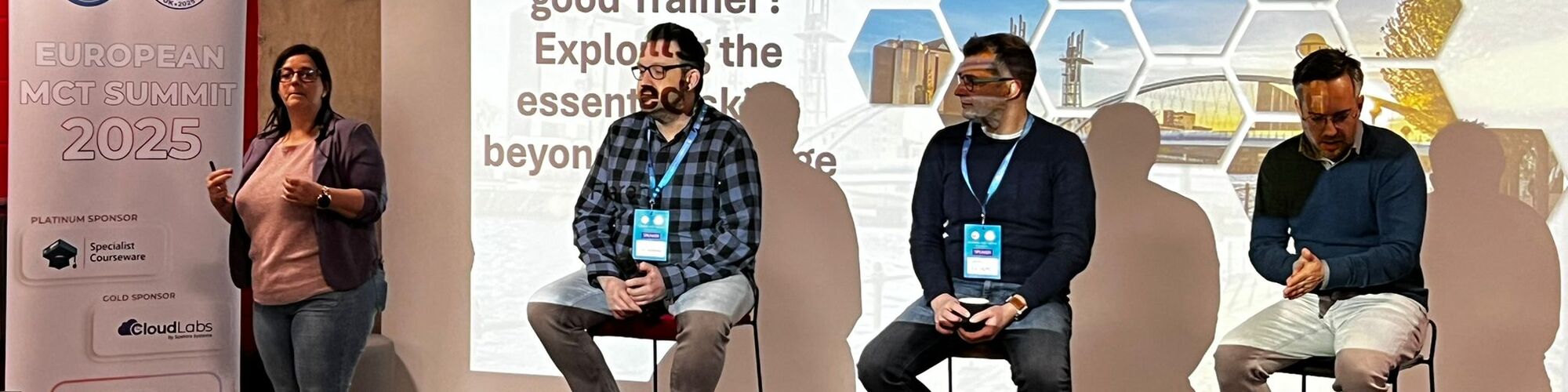
What Makes a Good Trainer? Exploring the Essential Skills Beyond Knowledge en
Member of the panel during Anouck Fierens' session at the European MCT Summit 2025.
In today's fast-paced and ever-evolving world, the role of a trainer extends far beyond just possessing knowledge. This panel discussion aims to delve into the critical question: Is knowledge alone sufficient to become a successful trainer? The session will explore the diverse skills that a good trainer needs to have, drawing insights from experts with varied backgrounds.
First public appearance on stage, member of a panel during a session
Intune, the Wild West or the Promised Land? en nl
During this session, my colleague Joery and I gave a nuanced sesssion around Microsoft intune and what the advantages and disadvantages are. Topics around pitfalls and how an organization can prepare towards implementation. Also an overview of possible licenses and add-ons were discussed.
Intune, het wilde westen of het beloofde land? en nl
Tijdens deze sessie gaven mijn collega Joery en ik een genuanceerde sessie over Microsoft intune en wat de voor- en nadelen zijn. Onderwerpen rondom valkuilen en hoe een organisatie zich kan voorbereiden op de implementatie. Ook een overzicht van mogelijke licenties en add-ons kwamen aan bod.
Experts Live UK 2026 Sessionize Event
Workplace Ninja User Group Germany User group Sessionize Event
Workplace Ninja User Group Belgium - Meetups 2026 User group Sessionize Event
Workplace Ninja User Group Belgium - Meetups 2025 User group Sessionize Event
European MCT Summit 2025
The European MCT Summit 2025 is a community event for Microsoft Certified Trainers (MCTs) that will take place on January 9-10, 2025, at UA92 in Stretford, Manchester, UK. This summit is designed to bring together MCTs from across Europe and beyond to network, learn, and share expertise. The event will feature sessions tailored to MCTs, discussions on the latest Microsoft technologies, and presentations by industry leaders. It's a great opportunity for professional growth and staying updated in the field.
VERA - Dag van de Community
De Dag van de Community bij VERA is een jaarlijks evenement waar lokale besturen uit Vlaams-Brabant samenkomen om kennis te delen en elkaar te versterken. Tijdens deze dag waren er inspirerende sessies over IT, digitalisering, smart cities en nog veel meer. Het evenement biedt een geweldige gelegenheid om te netwerken en ervaringen uit te wisselen met collega's.
Please note that Sessionize is not responsible for the accuracy or validity of the data provided by speakers. If you suspect this profile to be fake or spam, please let us know.
Jump to top