
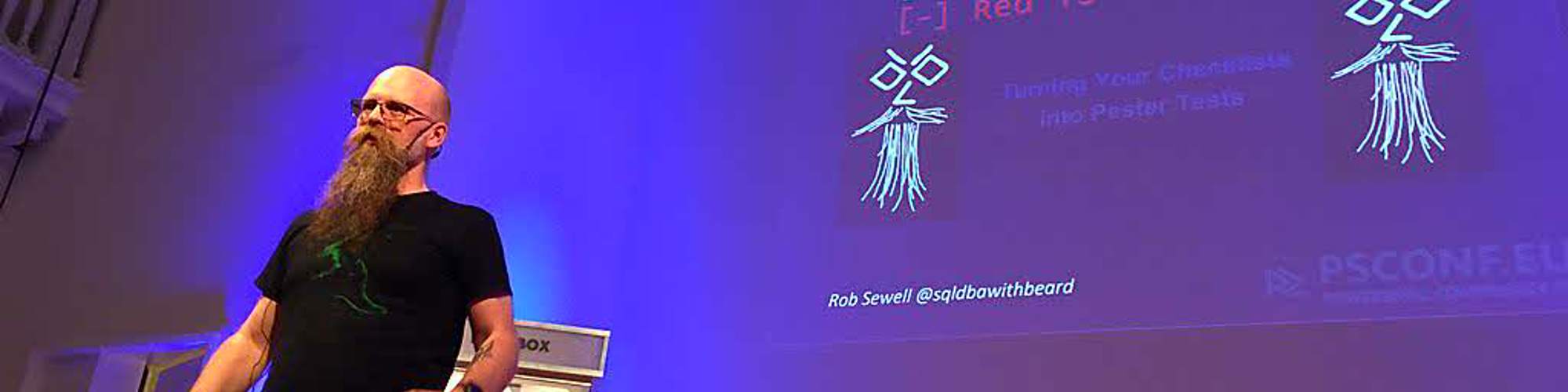

Rob Sewell
Chief Data Officer - Beard Twizzler
Exeter, United Kingdom
Actions
Rob was a SQL Server DBA with a passion for PowerShell, Azure, Automation, and SQL (PaaS geddit?). Now he just helps people make things. He is a Data Platform MVP and an Azure MVP, a PowerShell Conference Europe organiser, and maintainer of many open-source projects. He has spoken at and volunteered at many Data and PowerShell events all over the world. He is a proud supporter of the Data and PowerShell communities.
He relishes sharing and learning and can be found doing both via Social Medias and his blog. He spends most of his time looking at a screen and loves to solve problems. He knows that looking at a screen so much is bad for him because his wife tells him so. Thus, he is often out riding his bike as his eyes are not good enough to play cricket any more.
He has a fabulous beard
Links
Badges


Area of Expertise
Topics
Master of Commits: Beast Practices for the Code Crazy Train
"Yeah, the movement's in motion with massive militant poetry
Now check this out, uh"
Committing code is an integral part of the development lifecycle, but you just stand there screaming, awaiting the hour of reprisal.
Not all commits or commit messages are created equal. As more data professionals join the crazy train, and are required or expected to use source control within a continuous integration or deployment solution, a lack of good information is reducing the efficacy and usefulness of commit messages, leading to a paranoid symphony of destruction
Whilst it might seem that you are just a stranger to yourself and that commits make you pray for the thunder and the rain to quietly pass you by, its time for a one, two, three, another funky radical bombtrack.
It started as a sketch in my notebook, where we will explore the source control system git, what makes a commit, and what a commit message is for, so that you can paint a picture of days gone by and no longer say holy diver.
We will also learn what makes a good, and a bad, commit message and how to automatically link commit messages to user stories and release notes, ensuring your commits are as legendary as Ozzy and finally you can say So let it be written, So let it be done, I'm sent here by the chosen one.
You will leave this session with a better understanding of commits and commit messages, and useful guidance to make them most effective for yourself and for your team, empowering you to code with hypnotizing power, crushing all that cower. I've gotta say what I've gotta say and then I swear I'll go away.
But I can't promise you'll enjoy the noise.
Meine Frau, Fabric und ich
Wie ich meiner technik-affinen Frau, Fabric und deren leistungsfähige Datenanalyse erkläre
Das Erlernen einer neuen Technologie wie Fabric ähnelt dem Erlernen einer neuen Sprache. Es gibt unbekannte Wörter, Grammatik und Konzepte, aber vieles ist ähnlich zu dem, was du bereits kennst. Wenn du dich im Umfeld von Microsoft Data befindest, bin ich mir sicher, dass du gefragt wurdest:
Was ist Microsoft Fabric?
Und
Wofür können wir es verwenden?
So haben meine techniknahe Ehefrau und ich diese Fragen geklärt und die Sprachbarriere überwunden :-)
Wir werden auch zeigen, wie du Echtzeitanalysen über dein Smart Home in Microsoft Fabric abfragen kannst.
Also, wenn du keine Ahnung hast, was Fabric ist, oder wenn du Fabric jemandem erklären musst, der keine Ahnung hat, könnten diese 10 Minuten nützlich für dich sein.
Explaining Fabric and its ability to analyse data instantly to my tech-adjacent wife
Learning a new technology like Fabric is similar learning a new language. There are unfamiliar words, grammar, and concepts but a lot is similar to what you already know. If you are around Microsoft Data I am certain that you will have been asked.
What is Microsoft Fabric ?
And
What can we use it for?
This is how my tech-adjacent wife, and I resolved those questions and broke down the language barrier :-)
We will also show how you can query Real-Time Analytics about your smart home in Microsoft Fabric.
So if you have no idea what Fabric is or you have to explain Fabric to someone who has no idea maybe these 10 minutes may be useful for you.
Microsoft Fabric for the PowerShell Pro
Have you heard the data folks in your organization talking about Microsoft Fabric? Or perhaps you administer the Azure environment and you’ve noticed a (big) new line item on the bill?
Microsoft Fabric is an end-to-end data analytics platform that integrates data engineering, data warehousing, real-time analytics, and AI into a unified environment. Now that's a lot of buzzwords! This session will not only explain ‘What is Microsoft Fabric?’, but also demonstrate some ways in which developers can interact and use Fabric.
Join us as we not only demonstrate how to use PowerShell to perform Fabric administration tasks such as spinning up a new workspace, creating and using restore points, and getting a list of data pipelines.
But also use Fabric as the destination of data collected by some of our favourite PowerShell tools. We’ll take data generated by dbatools and dbachecks and persist it in our Fabric environment for analysis.
MicrosoftFabricMgmt - The PowerShell module to rule Fabric
Stop clicking-start scripting! Join Rob and Jess to explore MicrosoftFabricMgmt, an open-source PowerShell module with 295+ cmdlets spanning 48 Fabric resource types. Learn to automate workspace provisioning, lakehouse deployments, real-time analytics, and tenant governance from the command line. Discover flexible authentication for CI/CD pipelines, smart caching that slashes lookup times, and enterprise-grade logging built in. Leave ready to automate your entire Fabric environments from Monday.
Old Name - New CLI - why you should take a look at sqlcmd
Introduced with SQL Server 2005 and replacing osql, sqlcmd has been a part of SQL Server professionals toolbox for a long time now.
Many people only know it from the sqlcmd mode switch in SSMS, while others use it within automation as a lightweight easily available query runner. I have long recommended that DBAs are familiar with using it as it may be the only option to query an instance in severe emergencies.
Times they are a changing.
There is a new sqlcmd available and it has some awesome new capabilities.
Let me introduce you to the new sqlcmd in a fun filled demo session and show you the new things it can do and why they will be of benefit to all Data Professionals
We will cover deploying a database into a container from a backup with one command.
Querying it, Opening it in Azure Data Studio, all from the command line and much more
Rollenwechsel – Übersetzung von Themen zur psychischen Gesundheit
Das letzte Mal haben wir meiner technikaffinen Frau Fabric erklärt. Dieses Mal werden wir einige gängige Themen zur psychischen Gesundheit mit der Sprache der Technologie erklären. Wir werden es Ihnen erleichtern, die Grauzonen zwischen Schwarz und Weiß zu verstehen, indem wir Analogien verwenden, die die Sprache nutzen, mit der Sie vertraut sind.
Role Reversal – Translating Mental Health topics
Last time we explained Fabric to my tech adjacent wife.
This time we will explain some common mental health topics using the language of technology. We will make it easier for you to comprehend the grey areas in the middle of black and white using analogies that use the language that you are familiar with.
SQL Server 2025, AI and PowerShell Scripts
SQL Server 2025, is labelled as the ‘AI-ready enterprise database’, but what does this mean? And why do we, as PowerShell enthusiasts care?
Join Jess & Rob for an action packed session looking at the AI capabilities within SQL Server 2025, and how we can combine these with our PowerShell scripts to create powerful application patterns and enable the business to use AI in productive ways.
With AI comes responsibility though, we’ll also discuss the risks associated with bringing AI and PowerShell into the database with these new features.
Teach yourself Pester
In this beginner friendly follow-along, you will learn how to write Pester tests. We will start from existing code that has no tests. And we will end with code that is fully covered with tests, and built in CI/CD pipeline.
You will see the basic shapes of functions, and will write tests for them. You will write unit and integration tests. And you will ensure that you code coverage does not drop under 75%.
This practical lesson will arm you with knowledge that is easy to translate to real-life, and that will help you ship better and more reliable code.
Using SQL Server 2025 to run PowerShell Scripts (with no AI)
SQL Server 2025 is out, but why is this important to folk that use PowerShell?
SQL Server 2025 introduces the ability to call any REST API endpoint directly from your T-SQL code. Whilst similar functionality was available in Azure SQL Database previously, that had a limited number of endpoints, now there are unlimited endpoints and you can run use them from any flavour of SQL from ground to cloud.
This enables endless opportunities, consider how many APIs out there that you could call from your SQL Servers and enrich your local data with additional value or even use PowerShell Universal so that you can run scripts using an API.
Join us as we bring PowerShell and data worlds together and show some real-world use cases for this great new opportunity.
Using the fabric-toolbox MicrosoftFabricMgmt PowerShell Module for automation
Learn to install, authenticate, create and manage Fabric workloads with familiar PowerShell tooling.
MicrosoftFabricMgmt is a community open-source PowerShell module for Microsoft Fabric with dbatools-style ease, repeatability and robust error handling to automate Fabric administration tasks.
What A Data Nerd Learnt by Automating Their Home (Besides Annoying Their Family)
Modern data teams spend their days designing pipelines, modelling schemas, and wrestling with requirements — but what happens when those same skills escape the office and take over your home?
Learn how tinkering at home teaches lessons about requirements, error handling, resilience, scope creep, and communication — and how those lessons flow back into your day job (but in a fun way) We'll even include some Microsoft Fabric.
You will see how a simple “let’s automate a light switch” experiment spiralled into a full‑blown, event‑driven, high‑availability, occasionally‑over‑engineered home automation ecosystem. A house that thinks for itself.
No home automation experience is required — just curiosity and a willingness to laugh at the familiar chaos of scope creep.
We’ll look at how personal tinkering projects become powerful learning tools: how designing a reliable smart‑home workflow mirrors building production‑grade data systems; how debugging flaky sensors teaches you more about error handling than any textbook; and how “disaster recovery” takes on new meaning when your heating system depends on your YAML being valid.
Along the way, we’ll explore the two‑way learning loop between home and work: how professional practices improve your home automations, and how home automations sharpen your professional instincts.
You’ll leave with new ideas, a few cautionary tales, and a renewed appreciation for how fun, messy, and surprisingly educational side projects can be. Whether you’re building a data platform or just trying to stop your lights from turning off while you’re in the shower.
What an Automation Nerd Learnt by Automating Their Home (Besides Annoying Their Family)
Modern teams spend their days designing pipelines, modelling architecture, and wrestling with requirements — but what happens when those same skills escape the office and take over your home?
Learn how tinkering at home teaches lessons about requirements, error handling, resilience, scope creep, and communication — and how those lessons flow back into your day job (but in a fun way)
You will see how a simple “let’s automate a light switch” experiment spiralled into a full‑blown, event‑driven, high‑availability, occasionally‑over‑engineered home automation ecosystem. A house that thinks for itself. Of course, it includes some PowerShell but that is not the main focus of this session
No home automation experience is required — just curiosity and a willingness to laugh at the familiar chaos of scope creep.
We’ll look at how personal tinkering projects become powerful learning tools: how designing a reliable smart‑home workflow mirrors building production‑grade systems; how debugging flaky sensors teaches you more about error handling than any textbook; and how “disaster recovery” takes on new meaning when your heating system depends on your YAML being valid.
Along the way, we’ll explore the two‑way learning loop between home and work: how professional practices improve your home automations, and how home automations sharpen your professional instincts.
You’ll leave with new ideas, a few cautionary tales, and a renewed appreciation for how fun, messy, and surprisingly educational side projects can be. Whether you’re building a cloud platform or just trying to stop your lights from turning off while you’re in the shower.
What is fabric-toolbox and why should I care?
The fabric-toolbox is Microsoft's growing open-source repository of accelerators, tools, and scripts built to solve real Fabric challenges. In this session we'll tour the toolbox — from FUAM, the Fabric Unified Admin Monitoring solution that gives you deep tenant visibility beyond the 14-day Capacity Metrics limit, to FCA for FinOps cost analysis, DAX performance testing, Semantic Model auditing, Data Factory migration assistance, and the MicrosoftFabricMgmt PowerShell module with 295+ cmdlets covering 48 resource types. Whether you're an admin, developer, or architect, there's something here for you. Leave knowing exactly which tools to reach for and how to get started.
What makes a good commit? Good Practices for Data Professionals
Committing code is an integral part of the development lifecycle. However, not all commits
or commit messages are created equal. As more data professionals are required or expected to use source control within a continuous integration or deployment solution, a lack of good information is reducing the efficacy and usefulness of commit messages.
In this session we will explore the source control system git, what makes a commit and what a commit message is for.
We will also learn what makes a good, and a bad, commit message and how to automatically link commit messages to User Stories and release notes.
You will leave this session with a better understanding of commits and commit messages and useful guidance to make them most effective for yourself and for your team.
dbatools and dbachecks – Going Beyond the Book
Let us show you how easy it is to use PowerShell to accomplish many everyday tasks straight from the command line with the community-developed modules dbatools and dbachecks.
We will take you beyond ‘dbatools in a Month of Lunches’, into more advanced scenarios and show you how effective and efficient PowerShell can make you.
Join Jess Pomfret and Rob Sewell, two of the ‘dbatools in a Month of Lunches’ authors, and take your dbatools and dbachecks skills to the next level. We will show you the skills, scripts, and tricks that we have learned with dbatools and dbachecks and tell you how they have rocketed our careers.
There will be many practical examples of how dbatools and dbachecks can help to save time in DBA administration duties such as:
• Finding SQL Instances on your estate
• High Availability and Disaster Recovery scenarios
• Working with Replication
• Backup Testing
• Instance migrations
• Validating your estate with dbachecks
• dbatools and dbachecks in DevOps processes
• Using PowerShell in the cloud (i.e. working with Azure SQL Database, Azure SQL Managed Instance)
• PowerShell coding for performance
• Using dbatools and dbachecks in Azure Functions and Azure Runbooks
Take your dbatools and dbachecks skills to the next level and become more effective in your role. Register now to reserve your spot!
Azure SQL or Fabric SQL: Deploying Infrastructure and Databases as Code
Managing Azure SQL or Fabric SQL by hand doesn't scale. In this workshop, Jess Pomfret and Rob Sewell show you how to deploy both your Azure SQL infrastructure and your database schemas as code. You'll build real CI/CD pipelines that provision resources and ship database changes automatically — version controlled, repeatable, and ready for production. Hands-on, practical, and no clicking required.
Automate your SQL Server Test Restores
Database Backups – one of the DBA’s most important responsibilities. At this point we’re all doing backups (right?!), but are we all testing them?
Often we hear excuses like:
• I don’t have anywhere to do restore testing
• I don’t have time to do restore testing
• I don’t know how to do restore testing
In this session we’ll walk you through solving these issues, using PowerShell, Infrastructure as Code, Azure, and of course dbatools.
Automate Everything Azure SQL & Microsoft Fabric with PowerShell
Tired of clicking? So are we. In this hands-on workshop, Jess Pomfret and Rob Sewell, dbatools book authors and MicrosoftFabricMgmt coders,
show you how to automate SQL Server, Azure SQL, and Microsoft Fabric using PowerShell.
From managing databases and instances to provisioning Fabric workspaces and resources, you'll leave with real scripts,
real patterns, and the confidence to automate your own environment and swiftly create test or demo scenarios.
No more GUIs. Just code.
20 mins to git comfortable
In this new world we're all developers! Whether we're writing application code or describing our infrastructure using bicep or terraform we need to keep it safe. Git and source control is our best option for developing on our own and as part of a team… but git is scary!
In this 20 min session we'll go through just enough to git you comfortable with source control.
What makes a good commit? Good Practices for Data Professionals
Committing code is an integral part of the development lifecycle. However, not all commits
or commit messages are created equal. As more data professionals are required or expected to use source control within a continuous integration or deployment solution, a lack of good information is reducing the efficacy and usefulness of commit messages.
In this session we will explore the source control system git, what makes a commit and what a commit message is for.
We will also learn what makes a good, and a bad, commit message and how to automatically link commit messages to User Stories and release notes.
You will leave this session with a better understanding of commits and commit messages and useful guidance to make them most effective for yourself and for your team.
The new era of SQL Development -sqlcmd, data api builder,azd and more
The fast, ever changing world of development is always bringing enhancements and improvements to the tooling that can be used for development. This session will take a tour through the new capabilities for Azure SQL Database development and show you how they can improve your development and reduce your time to deployment.
The new sqlcmd has so many more features available to enable quick efficient development of databases.
The data api builder exposes a modern REST and GraphQL endpoints to your Azure SQL Databases.
azd ( the Azure Development CLI) can take you from development environment to Azure in a few short commands.
After this session, you will have more knowledge about this capabilities and enough content to be able to start to explore them yourself.
Automate your DBA tasks with dbatools and dbachecks
Let us show you how easy it is to use PowerShell to accomplish many everyday tasks straight from the command line with the community developed modules dbatools and dbachecks.
Join Jess Pomfret and Rob Sewell, two of the dbatools in a Month of Lunches authors and take your dbatools and dbachecks skills to the next level or be introduced to dbatools and learn how effective it can make you. We will show you the skills, scripts, and tricks that we have learned with dbatools and dbachecks and tell you how they have rocketed our careers
There will be many practical examples of how dbatools and dbachecks can help to save time in DBA administration duties
- Creating Availability Groups
- Syncing Agent Jobs and Logins between replicas
- Finding SQL Instances on your estate
- Working with Central Management Server
- Disaster Recovery
- Backup Testing
- Simple instance migrations
- Complex instance migrations
- Tracking Activity
- Simplify application upgrades with database snapshots
- Working with other community tools with dbatools
- Encompassing dbatools in DevOps
- Validating your estate
- Using dbatools in the cloud (i.e. working with Azure SQL Database)
And much much more
Come and join us for a great day of PowerShell and SQL full of demos and useful solutions that you will be able to take back to your workplace. You will improve your knowledge and skills, see how the modern DBA will work and have fun at the same time.
Who Are You?
You are a DBA, senior or junior, looking after 1 or 100,000 instances, a developer who interacts with SQL Server, an accidental DBA or you have DevOps in your job title.
You are interested in improving your PowerShell skills for SQL Server or reducing the time you and your team spend administering SQL Server.
You have spent 1 day or 20 years working with SQL Server.
You know that you work in a field where automation is king and want to understand more of what is available.
You are interested in learning and improving your automation skillset.
What do you need?
All you need is yourself! We would recommend that you bring something to take notes with as well as a minimum.
All scripts and slides will be provided to you. If you wish to follow along with most of the demos you should have access to a machine with PowerShell v 5 or above with a SQL Server 2012 or above instance.
Think PowerShell and SQL is meh? Meet dbatools!
Come and join one of the creators of the most popular SQL Server open source PowerShell module and learn how we have used blog posts from many of the SQL community as inspiration for over 900 million* commands written by over 4tn* contributors.
Let me show you how easy it is to use PowerShell to accomplish many everyday tasks straight from the command line with the community developed module dbatools.
I will even demonstrate in containers using Jupyter Notebooks that you can try out for yourself on your own machine.
Afraid of PowerShell?
Worried its too complicated?
Don't want to go through the learning curve?
Let me show you with plenty of demos how easy and straight forward it can be and I will save you time starting Monday
Want to restore an entire servers databases to the latest available point in time of the backups in just one line?
Be useful to know the Last DBCC Check for your entire estate in only one line of code?
Need to test your restores but it's complicated?
and many many more
All this in a fast-paced, fun session
* Some numbers may have been exaggerated
A deeper dive into dev containers for your project
Dev containers are a VS Code feature that allow us to define the perfect development environment for our project.
This enables a definition of a working development environment for all of your team or your open-source contributors to be quickly and easily provisioned and updated. It will even work in a browser! No more worrying about the right hardware, software installations, dependencies or updates. You can control it all with dev containers and make it simple and easy.
In this session we will dive deeper into dev containers and take a look at how we can use multiple containers for our development, multiple configurations for our dev containers, how to customise the entire experience and how to connect to your containers externally.
This sesssion is a natural follow on from our Why every project needs a dev container session but can also live on its lonesome
European Microsoft Fabric + SQL Community Conference 2026 - Workshops Sessionize Event Upcoming
PowerShell Conference Europe 2026 Sessionize Event Upcoming
DataGrillen 2026 Sessionize Event Upcoming
SQLBits 2026 Sessionize Event
Fabric & Power BI Wales User Group User group Sessionize Event
Data Moshpit 2025 Sessionize Event
dataMinds Connect 2025 Sessionize Event
Data Saturday & Fabric Friday Holland 2025 Sessionize Event
PowerShell Conference Europe 2025 Sessionize Event
SQLBits 2025 - General Sessions Sessionize Event
SQL Konferenz 2025 Sessionize Event
Data Saturday Parma 2024 Sessionize Event
PSConfEU MiniCon 2024 Sessionize Event
dataMinds Connect 2024 Sessionize Event
SQL Konferenz 2024 Sessionize Event
Data Relay 2024 Sessionize Event
Future Data Driven Summit 2024 Sessionize Event
DATA:Scotland 2024 Sessionize Event
Data Saturday Rheinland 2024 Sessionize Event
psconf.eu 2024 Sessionize Event
DataGrillen 2024 Sessionize Event
SQLBits 2024 - General Sessions Sessionize Event
SQLBits 2024 - Full day training sessions Sessionize Event
DataTune 2024 Sessionize Event
Data Community Austria Day 2024 Sessionize Event
New Stars of Data Speaker Improvement Library Sessionize Event
Intersection of Technology Fall 2023 Sessionize Event
#DataWeekender 6.5 Sessionize Event
Data Relay 2023 Sessionize Event
SQL Friday Season 7 (September - December 2023) User group Sessionize Event
Data Moshpit 2023 Sessionize Event
DATA:Scotland 2023 Sessionize Event
Data Saturday Oslo 2023 Sessionize Event
psconf.eu 2023 Sessionize Event
Data Céilí 2023 Sessionize Event
SQLBits 2023 - General Sessions Sessionize Event
SQLBits 2023 - Full day training sessions Sessionize Event
PSDayUK 2023 Sessionize Event
South Coast Summit 2022 Sessionize Event
Data Relay 2022 Sessionize Event
PSConfEU MiniCon Sessionize Event
DATA:Scotland 2022 Sessionize Event
psconf.eu 2022 Sessionize Event
DataGrillen 2022 Sessionize Event
Global Azure Lüdinghausen 2022 Sessionize Event
SQLBits 2022 Sessionize Event
SQL Ireland Meetup - 2022 Sessionize Event
Data Saturday Portugal 2021 Sessionize Event
SQL Ireland – Annual Christmas Event 2021 Sessionize Event
Data Saturday Slovenia 2021 Sessionize Event
PASS Data Community Summit 2021 Sessionize Event
New Stars of Data #3 Sessionize Event
Azure Bootcamp South Africa 2021 Sessionize Event
PowerShell, DevOps and Cloud Conference Sessionize Event
Data Saturday Oslo - Virtual Sessionize Event
Data ANZ Sessionize Event
DataMinutes #1 Sessionize Event
Power Saturday 2021 Sessionize Event
#DataWeekender v3.1 Sessionize Event
Data Saturday Southwest US Sessionize Event
Global Azure Lüdinghausen 2021 Sessionize Event
New Stars of Data 2021 Sessionize Event
Virtual Scottish Summit 2021 Sessionize Event
#DataWeekender #TheSQL Sessionize Event
Data Ceili Dublin 2020 Sessionize Event
Power Saturday 2020 Sessionize Event
psconf.eu 2020 Sessionize Event
Data Community Weekender Europe Sessionize Event
dataMinds Connect 2019 Sessionize Event
Data Saturday Holland Sessionize Event
DATA:Scotland 2019 Sessionize Event
DataGrillen 2019 Sessionize Event
Techorama Belgium 2019 Sessionize Event
Data in Devon 2019 Sessionize Event
SQLGLA 2018 Sessionize Event
SQLGrillen 2018 Sessionize Event
Battle of the Beards Sessionize Event
Rob Sewell
Chief Data Officer - Beard Twizzler
Exeter, United Kingdom
Links
Actions
Please note that Sessionize is not responsible for the accuracy or validity of the data provided by speakers. If you suspect this profile to be fake or spam, please let us know.
Jump to top