
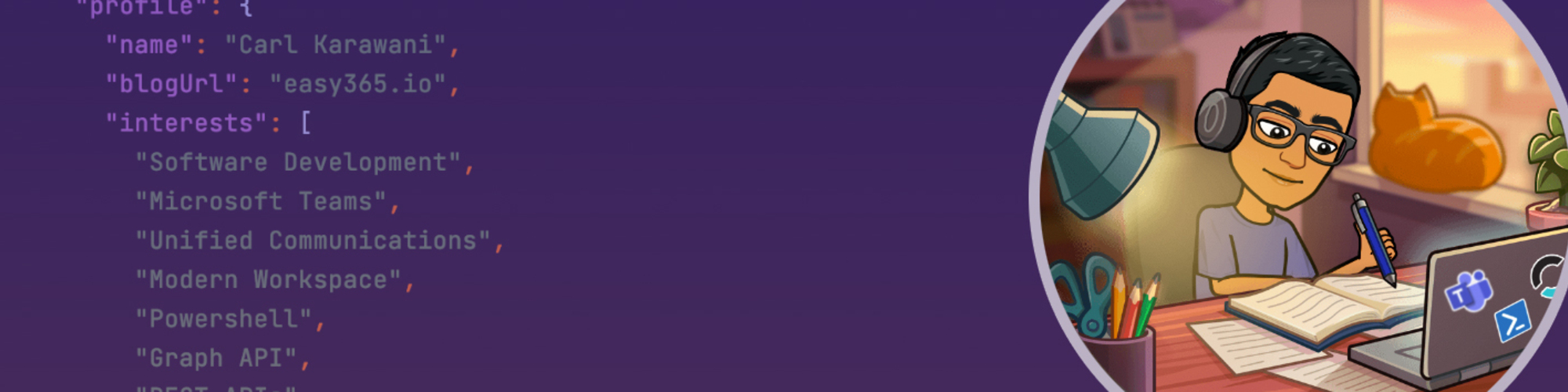

Carl Karawani
Software Engineering Director | SaaS Architect | Microsoft & AI Platform Builder
Montréal, Canada
Actions
Carl Karawani is Director of Engineering, AI at Nesto, where he leads engineering teams building AI-powered products for the mortgage industry. His work sits at the intersection of enterprise software, platform architecture, and applied AI, helping teams build production-grade systems that combine large language models, automation, and modern cloud platforms in a highly regulated industry.
Before joining Nesto, Carl spent more than a decade building and scaling enterprise SaaS platforms, leading engineering organizations and delivering software used by more than 200 enterprises and managing millions of endpoints. He knows the Microsoft ecosystem deeply—from Azure and Microsoft 365 to Microsoft Graph and the Copilot APIs—and is particularly interested in what it takes to move AI from an impressive demo to a dependable product.
Carl writes at easy365.io, where he shares practical insights on applied AI, enterprise software, software architecture, and engineering leadership. A frequent conference speaker, he enjoys helping developers and technology leaders move beyond AI demos to build systems that deliver real value in production.
Outside of tech, Carl plays piano in a funk & soul cover band, enjoys spending time with his wife and two kids, and firmly believes good software should have good rhythm.
Area of Expertise
Topics
Teams Phone Management and Automation
Are you having difficulty automating processes for managing your Teams environment and Phone System? Are you feeling frustrated with the requirement of using standard service accounts for authentication?
Learn how to use Microsoft Graph and PowerShell with App-Based Authentication to automate the provisioning and reporting of your Teams Phone System.
In this session you will learn:
Learn how to create an app registration in Entra ID and assign it the necessary roles in Entra and PIM.
Authentication to both Graph and Teams PowerShell Module using app-based authentication.
Gain important insights about your phones using Graph API queries against your team environment.
Manage your Teams Users and Dial Plan using the Teams Powershell Module.
Bonus – An exploration into Microsoft’s unpublished config API (the underlying API that powers TAP and Powershell Module)
Managing Microsoft Teams Automatically through Graph and Powershell
Are you having difficulty automating processes for managing your Microsoft Teams environment? Do you want to script and automate things but don’t know where to start?
Learn how to use Microsoft Graph and PowerShell with App-Based Authentication to manage your Microsoft Teams environment programmatically!
In this session, you will learn:
- What can be automated out of the box with EntraID and Teams, and where it falls short?
- How to connect to your Teams and Entra environments using Graph and Teams Powershell Module.
- How to Authenticate and the differences between App and Delegate Access
- How to create an app registration in Entra ID and assign it the necessary roles in Entra and PIM.
- How to Authenticate to both Graph and Teams PowerShell Module using app-based authentication.
- Bonus – An exploration into Microsoft’s unpublished config API (the underlying API that powers TAP and Powershell Module)
Make every voice conversation count with Teams and Copilot
Do you sometimes feel like your conversations are just a series of unfulfilled promises or misaligned conclusions? Struggling to remember who you spoke with about a certain topic?
Too many discussions get lost, misaligned, or go nowhere. It's time to turn that voice data black hole into a goldmine of insights — ensuring every phone call, meeting, or in-person huddle results in clarity, action, and progress by incorporating Copilot into every conversation.
We'll explore how integrating Copilot into your voice conversations can unlock its full potential and transform discussions into actionable results.
Who Should Attend?:
- Technology enthusiasts eager to explore the latest capabilities Copilot offers in their daily conversations.
- Business leaders aiming to enhance employee communication with customers and colleagues through AI.
Key Topics Include:
- What about phone calls? Your phone system might be a significant part of your voice data, and it could cost less than you think to move it to Teams.
- Real-world demos - Practical examples of AI-powered voice interactions in Teams that go beyond simply recapping a meeting or call.
- Extending outside of Teams - Exporting your Voice AI data into your CRM or project management tools using Graph
- What about my contact centre? A quick overview and comparison of the different agent solutions in Microsoft Teams.
This session provides more than just information; it offers practical advice and insights to truly help your IT operations get the most out of your voice conversations with Copilot.
Your Copilot Is Missing Half the Data: Bringing Voice into the Microsoft AI Stack
Microsoft 365 Copilot can only generate insights from the data it can access. While emails, chats, and documents are already part of Microsoft 365, one of the largest workloads in the enterprise — voice conversations — is often disconnected from the AI layer.
In this session, we’ll explore how Microsoft Teams Phone, Copilot, agents, and new extensibility APIs allow organizations to turn calls and meetings into actionable intelligence. We’ll look at real scenarios using intelligent call summaries, meeting insights APIs, Copilot Studio agents, and Microsoft Graph integrations to automate workflows, enrich CRM systems, and build AI-aware applications.
We’ll also discuss practical migration strategies from legacy PBX systems, licensing considerations, and why bringing telephony into Teams is becoming a key step in any Copilot adoption strategy.
If you're working with Microsoft 365, Teams, Copilot, or enterprise integrations, this session will help you understand how voice, AI, and APIs are coming together to form the next generation of the Microsoft productivity stack.
Target audience: Intermediate to advanced IT Pros, Architects, Developers, and Microsoft partners working with Microsoft 365, Teams, or Copilot.
This session is based on real-world customer scenarios involving Teams Phone migrations, Copilot adoption, and API/Graph integrations. It combines architecture guidance, live feature demos, and practical lessons learned from deploying AI-powered communication workloads.
The session has been presented in smaller community settings and customer workshops. Preferred duration is 40 minutes, but it can be adapted to 30 or 60 minutes if needed. No special technical requirements.
Microsoft 365 as an AI Platform: Using the Copilot APIs
Microsoft 365 Copilot is more than an AI assistant — it’s becoming a platform.
With the new Microsoft 365 Copilot APIs (Retrieval API, Chat API, Meeting Insights, Interaction Export, and Copilot notifications), developers can build applications that use Microsoft 365 as their grounding, reasoning, identity, and compliance layer instead of rebuilding those capabilities themselves.
In this session, we’ll explore how the Copilot APIs are changing the architecture of Microsoft 365 solutions, and what this means for developers, architects, and ISVs building modern workplace applications.
We’ll start with a quick overview of the Copilot extensibility model, then move into real examples showing how to use the APIs to build scenarios such as:
- Retrieving grounded enterprise data with the Retrieval API
- Building chat experiences using the Chat API
- Triggering workflows from Copilot notifications
- Exporting interaction data for analytics and automation
The session includes live demos showing how these APIs can be used in real applications, and discusses when you should build inside Microsoft 365 versus outside of it.
If you’re building solutions on Microsoft 365, Copilot APIs are not just another feature — they change the platform.
Live demos included using Microsoft 365 Copilot APIs and Microsoft Graph.
Requires internet connection for demos. Target audience: developers, architects, and IT professionals working with Microsoft 365 / Teams / Copilot extensibility.
Preferred duration: 45–60 minutes. Session can be adapted to 30 or 75 minutes if needed.
AI Community Days (AICD) Montréal 2026 Sessionize Event
Microsoft TechCon 365 Atlanta 2025 Sessionize Event
M365 Toronto 2025 Sessionize Event
M365 Community Days MTL Octobre 2024 Sessionize Event
M365 Community Days Chicago 2024 Sessionize Event
MN Microsoft 365 User Group - In person Workshop Day Spring, 2024 Sessionize Event
Please note that Sessionize is not responsible for the accuracy or validity of the data provided by speakers. If you suspect this profile to be fake or spam, please let us know.
Jump to top