
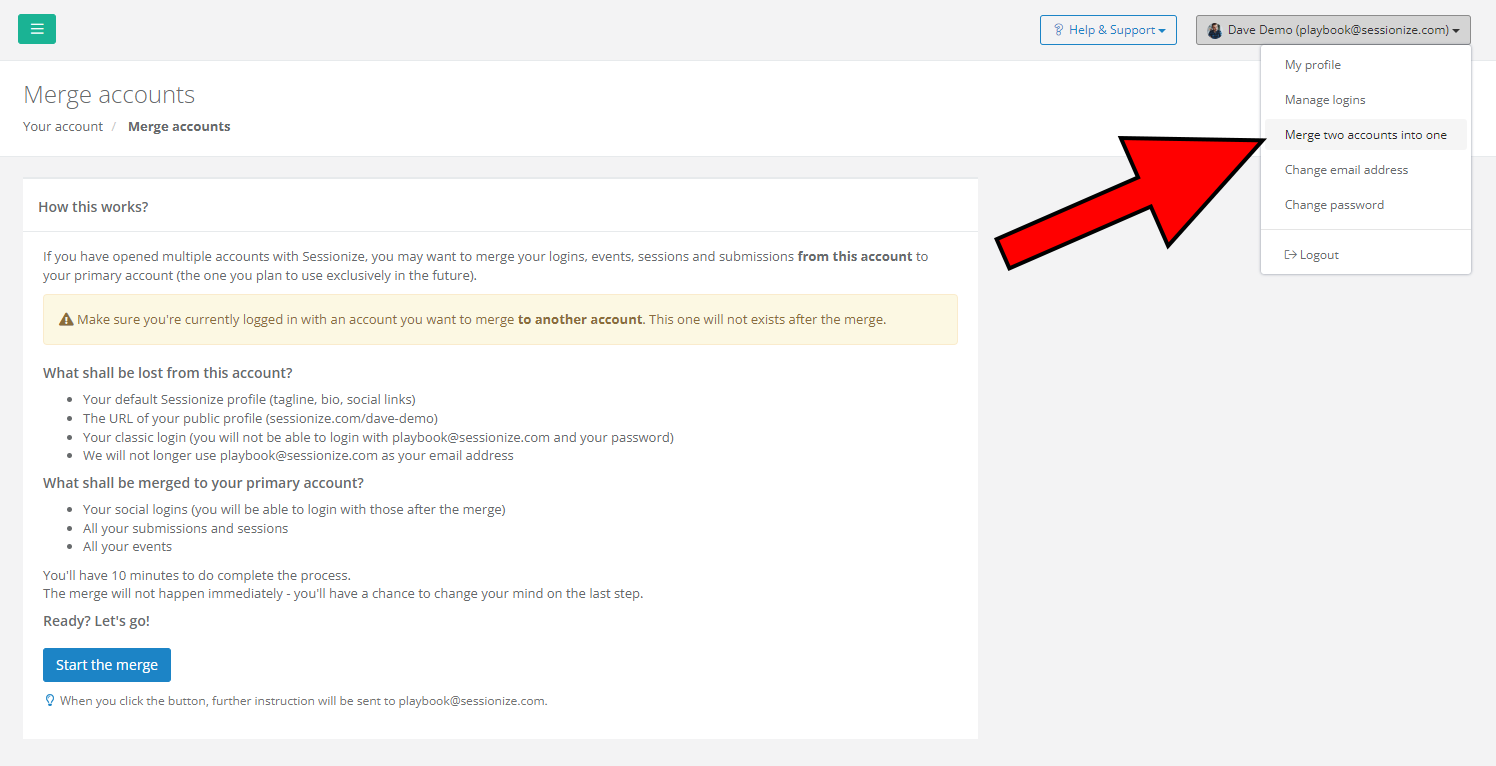
In case you, for any reason, end up with multiple Sessionize accounts, there's an easy way to merge them together. While logged into the account you want to move from, click on your name in the top right corner of your Sessionize profile and select Merge to another account. Then simply follow the on-screen instructions.
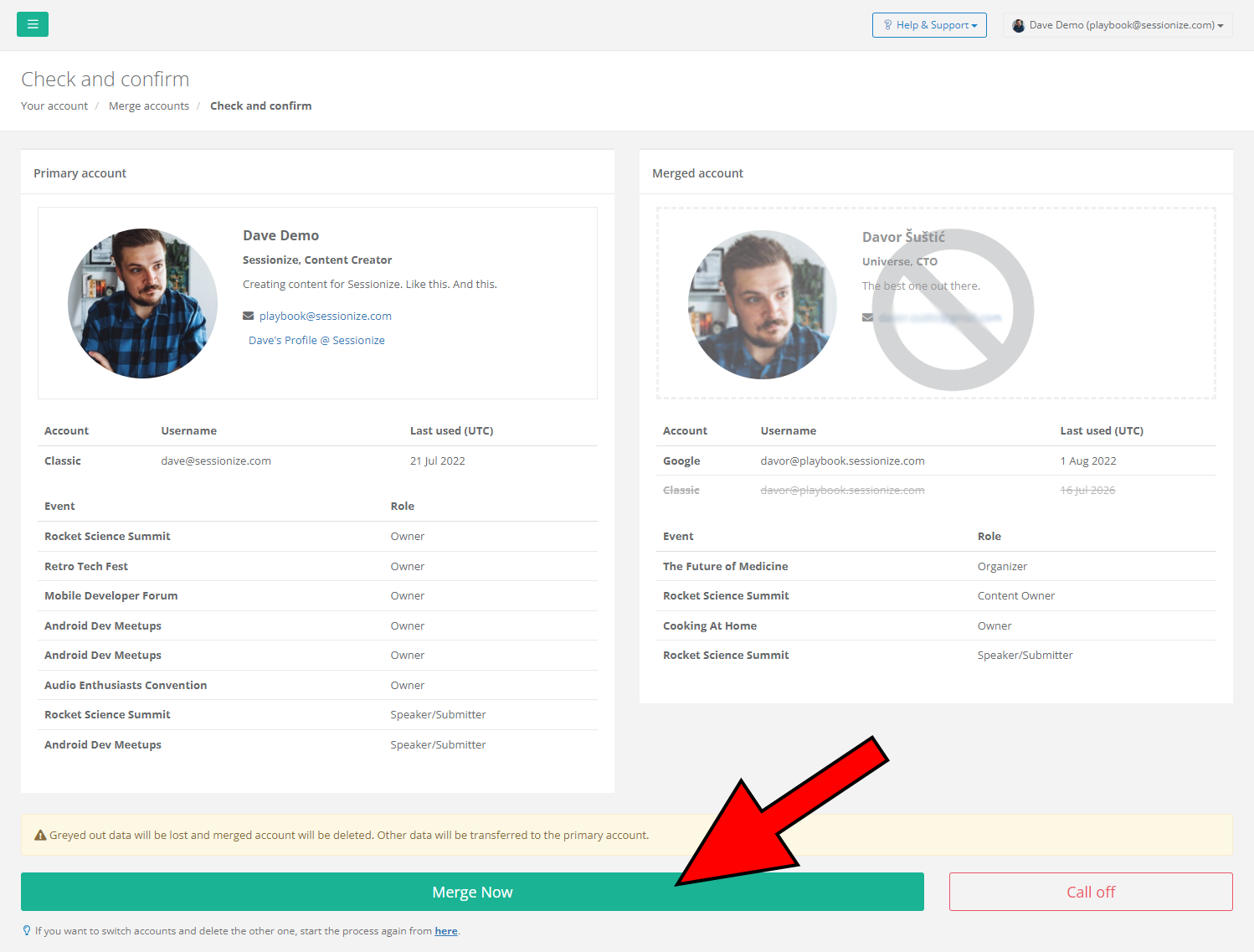
Before finishing the account merger, you'll see an overview of the changes that are about to happen - what's getting deleted and what's staying. If things look like you would want them to, finish the process by clicking Merge Now.
When you merge accounts, they are combined into a single speaker profile. All previous speaking engagements from both accounts are saved.